


 Price Match Guarantee
Panasonic Vacuum Cleaner Decal
Find the right part faster
Multiple models matched. Select your model to confirm fit.




Emblem
Emblem
Emblem
Emblem
Emblem


Authentic Panasonic Vacuum Cleaner Decal Parts
For those looking to maintain the original aesthetic of their Panasonic vacuum cleaner, genuine OEM decal parts from Repair Clinic ensure a perfect match with your model. These decals not only uphold the sleek design but also retain crucial labeling and instructions. Keeping with manufacturer's specifications, these decals assist in preserving the overall look and warranty of your vacuum. At Repair Clinic, you can find replacement decals and other vacuum cleaner parts online by entering your model number to guarantee the right fit. Explore more Panasonic Vacuum Cleaner parts and maintain your appliance's visual integrity. For more ways to enhance your vacuum's functionality, visit our replacement parts page today.
FAQs about Panasonic Vacuum Cleaner Decal Replacement
Replacing Panasonic vacuum cleaner decals can restore your unit's aesthetic and functionality. Find answers to common questions about decal replacement below.
How do I replace a Panasonic vacuum cleaner decal?
To replace a decal, first remove the old one by gently peeling it off. Clean the surface with a mild detergent and dry it thoroughly. Apply the new decal, smoothing it from the center outward to avoid bubbles.
Where can I find replacement decals for my Panasonic vacuum?
Replacement parts for Vacuum Cleaner, including decals, are available online at Repair Clinic. They offer a wide selection, allowing you to choose the perfect match for your model.
How much does it cost to replace a vacuum cleaner decal?
The cost of replacement decals can vary based on model and design. Generally, expect to spend a modest amount. For competitive pricing, Repair Clinic offers a price match on identical OEM replacement parts.
For other issues like maintaining suction or a broken belt, ensure filters are clean and brush rolls are functioning properly. Regular maintenance can prolong the life of your unit.
Order Panasonic Vacuum Cleaner Decal Parts Online
Finding the right replacements for your Panasonic vacuum cleaner decals is simple with our easy online ordering process. Whether you're a homeowner or a professional technician, our website makes it effortless to locate and purchase the exact decal replacements needed. With the convenience of our model number or part number lookup tool, identifying the correct parts is fast and straightforward. Enjoy the peace of mind of our no-hassle 365-day returns if something isn’t quite right. Plus, with our price match offer, you’ll get the best deal on genuine OEM parts. Shopping for vacuum cleaner parts online also means benefiting from our same-day shipping, ensuring your replacement decals arrive promptly. Maintain the original look and functionality of your Panasonic vacuum with our reliable decal replacements. For more tips on vacuum cleaner repair, visit the Vacuum Cleaner Repair Help section.
Locate Your Vacuum Cleaner's Model Number
Finding your Panasonic vacuum cleaner model number is essential for ordering the correct parts online. Begin by checking various parts of the vacuum: the bottom, the back, and inside any compartments. If your vacuum cleaner has a bag or detachable dust collector, inspect around their areas as well. This number enables you to access the vacuum cleaner parts and ensure they are compatible with your particular model. With the correct model number, you can quickly locate and purchase Panasonic vacuum cleaner repair parts, replacement components, and more at Repair Clinic. Discover the ease of accessing high-quality, genuine vacuum cleaner parts online.
Learn more about Eureka vacuum cleaner bracket parts to find additional information on related parts categories.

Expert Customer Service for Vacuum Cleaner Repairs and Orders
When seeking original spare parts for your Panasonic Vacuum Cleaner, trust our dedicated customer service available seven days a week. Our user-friendly online platform ensures a seamless model number lookup to help you quickly find the exact replacement decal needed. If you encounter the dilemma of a defective on-off switch causing your cleaner’s motor to fail, our live chat offers expert troubleshooting to guide you. Enjoy peace of mind with our 365-day no-hassle return policy, and rest assured that we offer a price match on genuine OEM parts. With Repair Clinic, you benefit from easy ordering, same-day shipping, and comprehensive DIY repair resources. Always feel confident and reach out with any queries at Contact Us.
Related Articles: Vacuum Cleaner Repair
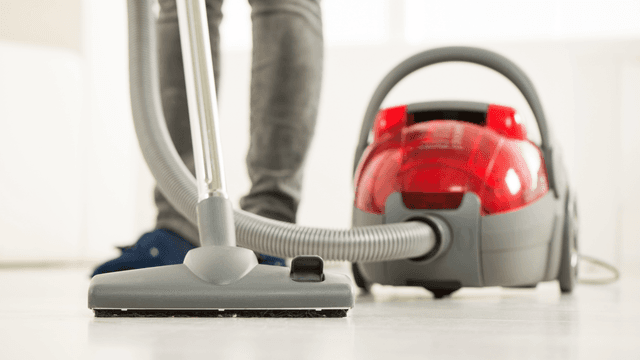
How It Works: Vacuum Cleaner
Learn how a vacuum cleaner creates suction using a motor-driven fan to draw air and debris through filters or bags and into a canister or bag for collection based on fundamental pressure differences and airflow design.

5 Reasons Why Your Vacuum Cleaner Has Lost Its Suction
Find out the five most common causes of lost suction in your vacuum cleaner and how to troubleshoot each from clogged filters and full bags to blockages, fan obstructions, or a failing blower motor.
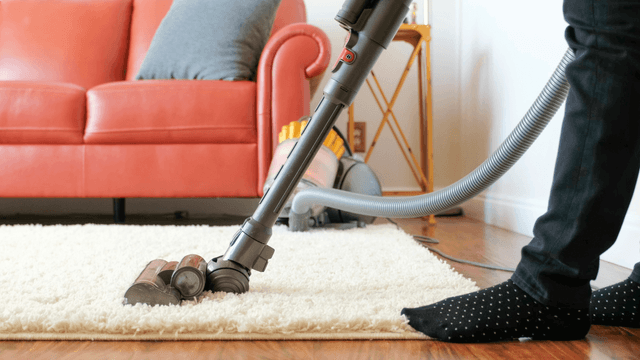
Three Reasons Why Your Vacuum Cleaner’s Motor Isn’t Working
Find out three common reasons why your vacuum cleaner motor is not working—seized bearings in the suction or brushroll motor, or damaged motor brushes—and how to check and address each issue.




Family-owned and operated since 1912, Burke America Parts Group is the longest-running genuine appliance, HVAC, and outdoor power equipment parts solution in North America. At Repair Clinic, we're proud to be an international brand trusted by the pros as well as the DIY community.
About Repair Clinic