


 Price Match Guarantee
Trash Compactor Decal
Find the right part faster
Multiple models matched. Select your model to confirm fit.




Escutcheon
Escutcheon


Genuine OEM KitchenAid Trash Compactor Panel Decals
Maintain your KitchenAid Trash Compactor’s warranty and performance with genuine OEM panel decals from Repair Clinic. Our replacement repair parts ensure a precise fit for your specific model. Authentic decals are essential for keeping your compactor looking new while maintaining manufacturer standards. If your Trash Compactor's decals are peeling or faded, it's time for replacement parts online. For other KitchenAid compactor needs, explore our selection of trash compactor panel parts. Partner with Repair Clinic for assured quality, same-day shipping, and our unmatched price match policy, driving savings and efficiency.
Popular Trash Compactor Decal Models
FAQs about Trash Compactor Decal Replacement and Repair
Learn how to replace and maintain your trash compactor decals for optimal performance and aesthetics.
How do I know which decal is compatible with my trash compactor?
To find the correct decal, check your trash compactor's model number, usually located on a tag inside the door or drawer. You can then use this information on Repair Clinic to find compatible decals and Trash Compactor parts.
How do you replace a trash compactor decal?
Carefully remove the old decal. Clean the surface with mild detergent to remove residue. Allow it to dry, then align and place the new decal. Press down firmly to ensure it adheres properly without air bubbles.
What should I do if my trash compactor decal peels off?
If a decal starts peeling, clean the surface and use a suitable adhesive to reattach it. For a more permanent solution, consider purchasing a replacement from Repair Clinic, where we ensure quick and convenient delivery and offer a price match on all genuine replacement parts.
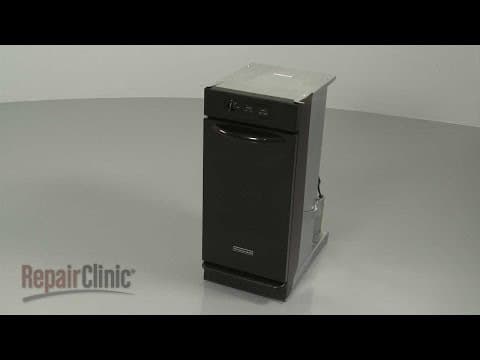
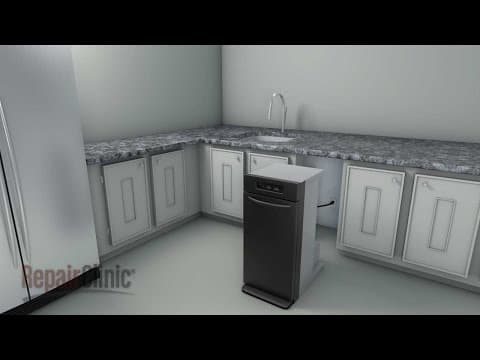
Shop Trash Compactor Decal Replacement Online
Enhance your Trash Compactor's appearance with high-quality decal replacements. Easily find genuine trash compactor decals online for quick updates. With our user-friendly model and part number lookup tool, you can effortlessly locate the right decals for your model. Take advantage of same-day shipping to get your trash compactor looking new as soon as possible. Don't hesitate to order today and enjoy No-Hassle 365-Day Returns if the decals need to be exchanged. Secure great deals with our competitive price match. Fixing your trash compactor is now easier than ever, thanks to Repair Clinic's Trash Compactor Repair Help resource, where you can find more tips. Discover additional essential components for your compactor, such as Hotpoint Trash Compactor Trim Pieces, and more online. Enjoy quick and reliable service for all your replacement needs.
Finding Your Trash Compactor’s Model Number
To ensure you order the correct replacement parts for your trash compactor, locating the model number is essential. Typically, the model number can be found on the inside of the door, on the frame, or behind the kick plate. Use this number for a precise match with replacement parts. This allows you to easily browse trash compactor parts online, ensuring correct fitment and hassle-free installation.
For specific needs like decals, these parts can be found through an effortless model number lookup, enabling homeowners and technicians to maintain the aesthetic and functionality of their compactors. Easy access to genuine OEM trash compactor parts enhances your repair experience. Feel free to visit our page on KitchenAid Trash Compactor Panel Decal Parts for more options. Discover the advantages of same-day shipping, convenient 365-day returns, and our price match.

Comprehensive Support for Ordering Trash Compactor Replacement Parts
Need assistance with finding and ordering the right trash compactor parts? Repair Clinic offers exceptional customer service available seven days a week, ensuring you receive expert help exactly when you need it. Whether you're a homeowner or professional technician, our model/part number lookup tool makes it easy to locate genuine OEM replacement parts. Benefit from our price match policy and no-hassle 365-day returns. For quick support, engage with our live chat option and explore our Trash Compactor Repair Help section for DIY-friendly guides and videos. If your trash compactor won’t start, inspect potential issues like a broken drawer roller or faulty drive gear. Making loud noises? Check the trunnion nut or drive chain. Count on Repair Clinic to empower your repair with confidence. Visit our Contact Us page for more support.
Related Articles: Trash Compactor Repair
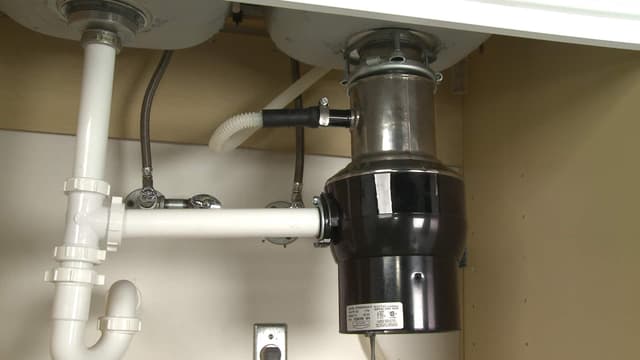
Garbage Disposal Vs. Garbage Disposer
Explore the interchangeable use of the terms garbage disposal and garbage disposer and how to find matching parts for either using your model number on RepairClinic.

Trash Compactor Not Compacting? Test Directional Switch
Explore how to test your trash compactor’s directional switch with a multimeter to troubleshoot why it is not compacting properly.
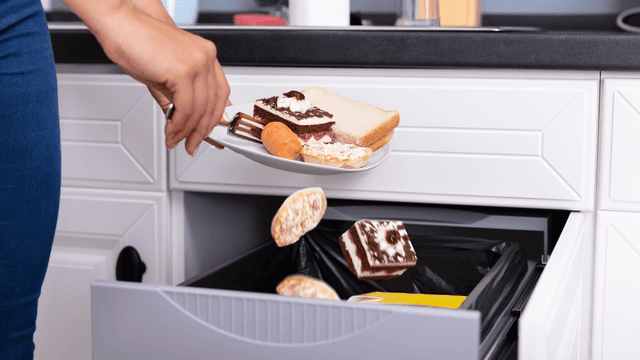
Trouble Starting Your Trash Compactor? 4 Likely Causes
Learn about the four likely causes for trouble starting your trash compactor, including power issues, a faulty start switch, a malfunctioning drawer switch, or a defective drive motor.




Family-owned and operated since 1912, Burke America Parts Group is the longest-running genuine appliance, HVAC, and outdoor power equipment parts solution in North America. At Repair Clinic, we're proud to be an international brand trusted by the pros as well as the DIY community.
About Repair Clinic