

Price Match Guarantee

In-stock parts ship the same day

365-Day Return Policy
Price Match GuaranteeGET PRO PRICING
Video & Articles: Appliance & Equipment RepairKitchenaid Electric Slide-In Range Thermal Fuse Replacement #WP3196548

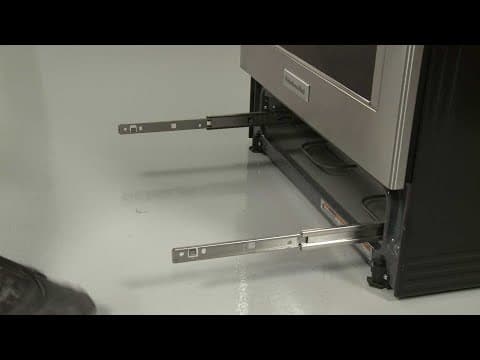
Kitchenaid Electric Slide-In Range Thermal Fuse Replacement #WP3196548
Skill Level
Total Parts Cost
$38.21Estimated Savings
$112.5002:45
- Description
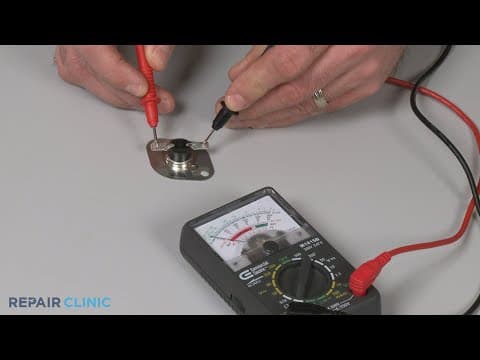
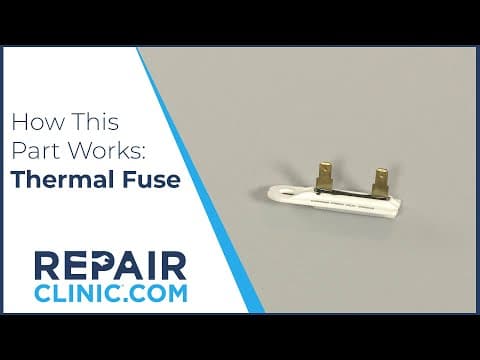
This video provides step-by-step instructions for replacing the thermal fuse on a Kitchenaid electric slide-in range (model #KSEB900ESS2). The most common reason for replacing the thermal fuse is if the oven will not heat properly.
All of the information in this thermal fuse replacement video is applicable to the following brands: Maytag, Amana, Magic Chef, Whirlpool, Tappan, Estate, Kitchenaide
All of the information in this thermal fuse replacement video is applicable to the following brands: Maytag, Amana, Magic Chef, Whirlpool, Tappan, Estate, Kitchenaide
Step By Step Instructions
1
KitchenAid Electric Slide-In Range - KSEB900ESS2
2
Electric Range Thermal Fuse Replacement
3
Tools needed: Phillips-head screwdriver
4
Shock
5
Be sure to unplug the power cord or shut off the power supply.
6
Pull the range away from the wall so you can access the rear of the appliance.
7
Using a Phillips-head screwdriver, unthread the three screws to release the left side stop bracket.
8
Repeat to detach the right side bracket.
9
Sharp
10
Now lift the upper rear access panel up then tilt forward to remove.
11
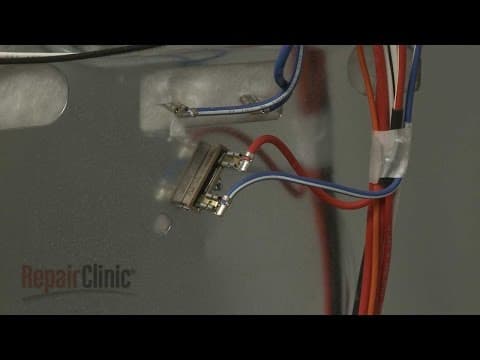
Disconnect the wires from the thermal fuse.
12
Unthread the mounting screw to release the old fuse.
13
Install the new thermal fuse by aligning it on the rear panel, then thread the screw to secure.
14
Connect the wires to the terminals.
15
Reinstall the upper rear access panel by inserting the bottom tabs into the slots in the lower access panel, then lift it up and hook it onto the upper tabs.
16
Realign the two stop brackets and thread the screws to hold them in place.
17
Plug the power cord back in or restore the power supply and the electric range should be ready for use.
Description
This video provides step-by-step instructions for replacing the thermal fuse on a Kitchenaid electric slide-in range (model #KSEB900ESS2). The most common reason for replacing the thermal fuse is if the oven will not heat properly.
All of the information in this thermal fuse replacement video is applicable to the following brands: Maytag, Amana, Magic Chef, Whirlpool, Tappan, Estate, Kitchenaide
All of the information in this thermal fuse replacement video is applicable to the following brands: Maytag, Amana, Magic Chef, Whirlpool, Tappan, Estate, Kitchenaide
Step-By-Step Instructions
1
KitchenAid Electric Slide-In Range - KSEB900ESS2
2
Electric Range Thermal Fuse Replacement
3
Tools needed: Phillips-head screwdriver
4
Shock
5
Be sure to unplug the power cord or shut off the power supply.
6
Pull the range away from the wall so you can access the rear of the appliance.
7
Using a Phillips-head screwdriver, unthread the three screws to release the left side stop bracket.
8
Repeat to detach the right side bracket.
9
Sharp
10
Now lift the upper rear access panel up then tilt forward to remove.
11
Disconnect the wires from the thermal fuse.
12
Unthread the mounting screw to release the old fuse.
13
Install the new thermal fuse by aligning it on the rear panel, then thread the screw to secure.
14
Connect the wires to the terminals.
15
Reinstall the upper rear access panel by inserting the bottom tabs into the slots in the lower access panel, then lift it up and hook it onto the upper tabs.
16
Realign the two stop brackets and thread the screws to hold them in place.
17
Plug the power cord back in or restore the power supply and the electric range should be ready for use.
Applicable Product Model
Related Articles & Videos
04:14
Part Replacement
Kitchenaid Electric Slide-In Range Oven Bake Element Replacement #W10779716
02:11
Part Replacement
Kitchenaid Electric Slide-In Range Left Warming Drawer Rail Replacement #W11131365




Our Story
Family-owned and operated since 1912, Burke America Parts Group is the longest-running genuine appliance, HVAC, and outdoor power equipment parts solution in North America. At Repair Clinic, we're proud to be an international brand trusted by the pros as well as the DIY community.
About Repair Clinic
© 2026 RepairClinic.com