

Price Match Guarantee

In-stock parts ship the same day

365-Day Return Policy
Price Match GuaranteeGET PRO PRICING
Video & Articles: Appliance & Equipment RepairKitchenAid 5 Door Refrigerator Reservoir Panel LED Assembly Replacement W11205082 

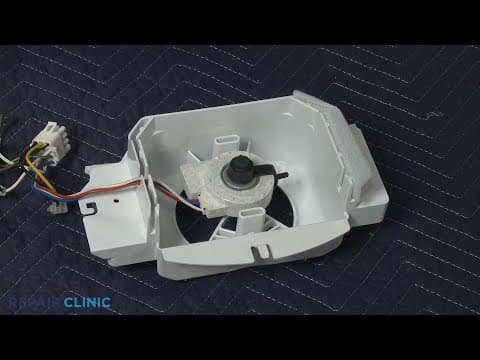
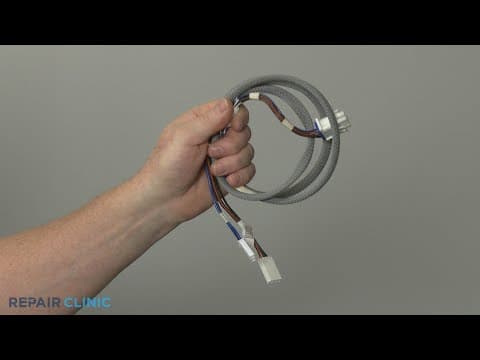
KitchenAid 5 Door Refrigerator Reservoir Panel LED Assembly Replacement W11205082
Skill Level
Total Parts Cost
$174.24Estimated Savings
$112.5003:17
- Description
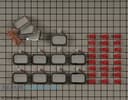
This video provides step-by-step repair instructions for replacing the reservoir panel LED assembly on a KitchenAid 5 Door Refrigerator (Model KRMF706ESS01). The most common reason for replacing this part is if it is burned out.
All of the information for this video is applicable to the following brands:
Whirlpool, Maytag, Amana, Kitchenaid, Kenmore
All of the information for this video is applicable to the following brands:
Whirlpool, Maytag, Amana, Kitchenaid, Kenmore
Step By Step Instructions
1
KitchenAid Five-Door Refrigerator - KRMF706ESS01
2
Refrigerator Reservoir Panel LED Light Assembly Replacement
3
heavy, sharp, shock, water
4
Shock
5
unplug the power cord
6
depress the water filter cover to release
7
rotate the filter clockwise to remove
8
using the quarter-inch socket or nut driver, unthread the two screws securing the water reservoir access panel
9
pull the panel down using a screwdriver to help detach the mounting posts
10
disconnect the LED light wire connecter and set the panel aside
11
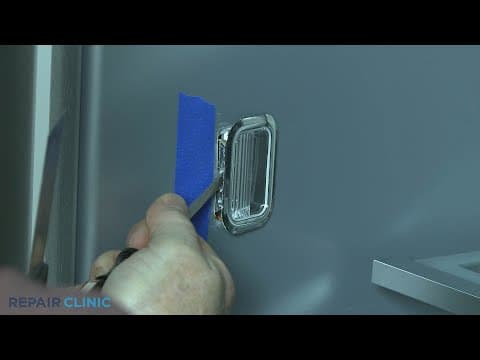
depress the tabs on the sides of each light to detach them from the panel
12
peel back the tape if necessary
13
remove the old assembly
14
snap each light into place on the new panel, making sure to keep the wires facing to the right
15
secure the wires with tape
16
reinstall the water reservoir access panel by first connecting the LED light wire connecter
17
insert the three tabs at the back into the slots then snap the mounting posts into place
18
rethread the screws
19
align the tab on the water filter with the notch in the housing and rotate the filter clockwise until it locks in place then close the cover
20
Shock
21
plug the power cord back in
Description
This video provides step-by-step repair instructions for replacing the reservoir panel LED assembly on a KitchenAid 5 Door Refrigerator (Model KRMF706ESS01). The most common reason for replacing this part is if it is burned out.
All of the information for this video is applicable to the following brands:
Whirlpool, Maytag, Amana, Kitchenaid, Kenmore
All of the information for this video is applicable to the following brands:
Whirlpool, Maytag, Amana, Kitchenaid, Kenmore
Step-By-Step Instructions
1
KitchenAid Five-Door Refrigerator - KRMF706ESS01
2
Refrigerator Reservoir Panel LED Light Assembly Replacement
3
heavy, sharp, shock, water
4
Shock
5
unplug the power cord
6
depress the water filter cover to release
7
rotate the filter clockwise to remove
8
using the quarter-inch socket or nut driver, unthread the two screws securing the water reservoir access panel
9
pull the panel down using a screwdriver to help detach the mounting posts
10
disconnect the LED light wire connecter and set the panel aside
11
depress the tabs on the sides of each light to detach them from the panel
12
peel back the tape if necessary
13
remove the old assembly
14
snap each light into place on the new panel, making sure to keep the wires facing to the right
15
secure the wires with tape
16
reinstall the water reservoir access panel by first connecting the LED light wire connecter
17
insert the three tabs at the back into the slots then snap the mounting posts into place
18
rethread the screws
19
align the tab on the water filter with the notch in the housing and rotate the filter clockwise until it locks in place then close the cover
20
Shock
21
plug the power cord back in
Applicable Product Model
Parts Needed
LED Light
$174.24
Total$0.00
Related Articles & Videos
14:37
Part Replacement
KitchenAid 5 Door Refrigerator Evaporator Fan Motor Replacement W11087438
01:42
Part Replacement
KitchenAid 5 Door Refrigerator LED Light Assembly Replacement W10908166
09:31
Part Replacement
KitchenAid 5 Door Refrigerator Freezer Evaporator Fan Motor Replacement W11249952
12:07
Part Replacement
KitchenAid 5 Door Refrigerator Pantry Drawer Wire Harness Replacement W11170612




Our Story
Family-owned and operated since 1912, Burke America Parts Group is the longest-running genuine appliance, HVAC, and outdoor power equipment parts solution in North America. At Repair Clinic, we're proud to be an international brand trusted by the pros as well as the DIY community.
About Repair Clinic
© 2026 RepairClinic.com