

Price Match Guarantee

In-stock parts ship the same day

365-Day Return Policy
Price Match GuaranteeGET PRO PRICING
Video & Articles: Appliance & Equipment RepairGE Dishwasher Drain Hose Replacement #WD24X10014


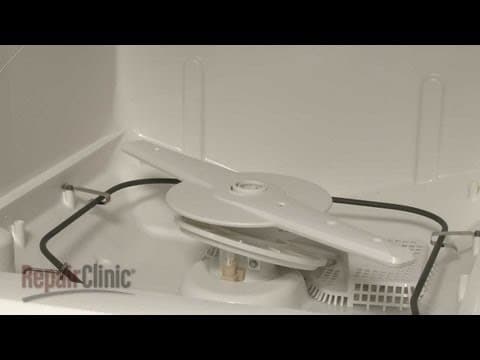


GE Dishwasher Drain Hose Replacement #WD24X10014
Skill Level
Total Parts Cost
$38.43Estimated Savings
$112.5002:15
- Description
This video provides step-by-step instructions for replacing the drain hose on GE dishwashers. The most common reason for replacing the drain hose is if the dishwasher won’t drain and simply unclogging the hose doesn’t fix the problem.
All of the information in this hose replacement video is applicable to the following brands: GE, Hotpoint, Kenmore
All of the information in this hose replacement video is applicable to the following brands: GE, Hotpoint, Kenmore
Step By Step Instructions
1
As with any repair, be sure to turn off the power supply to your dishwasher before beginning.
2
To replace the drain hose, your first step is to disconnect the hose from the sink drain or garbage disposer and feed it through the cabinet.
3
Next, remove the screws to release the lower access panels on the dishwasher and set the panels aside.
4
Next, use a quarter inch wrench to loosen the clamp securing the drain hose to the collection chamber.
5
Pull off the old hose and remove.
6
Be prepared for some water to spill out.
7
Install the new drain hose by first inserting the smaller end of the hose through the hole in the cabinet.
8
Slide the existing clamp onto the hose and attach the hose to the collection chamber.
9
Position and tighten the clamp to secure.
10
Slide the other clamp over the opposite end of the hose and attach that end to the sink drain or disposer.
11
Position the clamp and tighten.
12
Make sure the hose is elevated above the connection point.
13
Replace the lower access panels and secure them with the screws.
14
You’re now ready to turn the power supply back on and confirm that the dishwasher is functioning properly.
Description
This video provides step-by-step instructions for replacing the drain hose on GE dishwashers. The most common reason for replacing the drain hose is if the dishwasher won’t drain and simply unclogging the hose doesn’t fix the problem.
All of the information in this hose replacement video is applicable to the following brands: GE, Hotpoint, Kenmore
All of the information in this hose replacement video is applicable to the following brands: GE, Hotpoint, Kenmore
Step-By-Step Instructions
1
As with any repair, be sure to turn off the power supply to your dishwasher before beginning.
2
To replace the drain hose, your first step is to disconnect the hose from the sink drain or garbage disposer and feed it through the cabinet.
3
Next, remove the screws to release the lower access panels on the dishwasher and set the panels aside.
4
Next, use a quarter inch wrench to loosen the clamp securing the drain hose to the collection chamber.
5
Pull off the old hose and remove.
6
Be prepared for some water to spill out.
7
Install the new drain hose by first inserting the smaller end of the hose through the hole in the cabinet.
8
Slide the existing clamp onto the hose and attach the hose to the collection chamber.
9
Position and tighten the clamp to secure.
10
Slide the other clamp over the opposite end of the hose and attach that end to the sink drain or disposer.
11
Position the clamp and tighten.
12
Make sure the hose is elevated above the connection point.
13
Replace the lower access panels and secure them with the screws.
14
You’re now ready to turn the power supply back on and confirm that the dishwasher is functioning properly.
Applicable Product Model


Related Articles & Videos




Our Story
Family-owned and operated since 1912, Burke America Parts Group is the longest-running genuine appliance, HVAC, and outdoor power equipment parts solution in North America. At Repair Clinic, we're proud to be an international brand trusted by the pros as well as the DIY community.
About Repair Clinic
© 2026 RepairClinic.com