


 Price Match Guarantee
Panasonic Vacuum Cleaner Display Board Replacement
Find the right part faster
Multiple models matched. Select your model to confirm fit.




Display


Repair Clinic's Genuine Panasonic Vacuum Display Board Parts
The display board in your Panasonic Vacuum Cleaner is essential for user-control and feedback. Ensuring its functionality with genuine OEM parts is crucial to maintaining the manufacturer's warranty and a perfect fit for your specific model. At Repair Clinic, you can find genuine Panasonic Vacuum Cleaner display board replacements that guarantee quality and longevity. If you're encountering issues with your display, such as unresponsive touchpads or flickering screens, it may be time for a replacement. These issues can impair your vacuum's functionality, but our genuine parts deliver reliable performance. Explore our inventory of display board replacements designed to fit your Panasonic model precisely. Visit our main page for more replacement parts. At Repair Clinic, we offer comprehensive resources for DIY repairs, empowering enthusiasts and professionals alike.
FAQs about Panasonic Vacuum Cleaner Display Board Replacement
The display board is a crucial component in Panasonic vacuum cleaners, providing users with essential information and operational controls. If your display board is malfunctioning or unresponsive, it might be time for a replacement.
How do I identify the correct display board for my Panasonic vacuum cleaner?
To ensure compatibility, check the model number of your Panasonic vacuum. The model number can typically be found on the back or bottom of the unit. Use this number when searching for Panasonic vacuum cleaner display board parts at Repair Clinic.
What are the signs that my vacuum's display board needs replacement?
Signs include a non-responsive display, incorrect display readouts, or failure to show any information despite the vacuum operating normally. These issues typically indicate the need for a new display board.
How do I replace the display board in my Panasonic vacuum cleaner?
To replace the display board, first, ensure the vacuum is unplugged. Remove the cover to access the old board and disconnect any connecting wires. Install the new board by aligning and connecting the wires, then secure it in place. For detailed guidance, consult the user manual or Vacuum Cleaner parts online resources at Repair Clinic for additional support.
Order Panasonic Vacuum Cleaner Display Board Replacement Online
Ensure optimal performance with genuine Panasonic vacuum cleaner display board replacements. Quickly access the exact part you need by entering your model or part number into our user-friendly lookup. Benefit from same-day shipping, getting your display board delivered swiftly and efficiently. With our no-hassle 365-day returns and price match guarantee, you get the best deal on original parts. Convenient online ordering allows homeowners and professional technicians to handle vacuum issues like display malfunctions effortlessly. If the display is unresponsive or flickering, replacing it might be the best solution. Trust Repair Clinic to provide detailed, actionable guides to help diagnose and fix common display board problems, enhancing your repair experience. Discover more solutions in our Vacuum Cleaner Repair Help section. Also, explore compatible circuit board parts for expanded repair options.
How to Find Your Vacuum Cleaner Model for Replacement Parts
Finding the model number of your vacuum cleaner is the first step in ordering the right replacement parts for your Panasonic Vacuum Cleaner Display Board. Common issues include no display light or an unresponsive touchscreen. Ensure you have the exact model number before purchasing replacement vacuum cleaner parts. This unique identifier, usually found on a label, also aids in the installation of Panasonic vacuum cleaner parts replacement. For help with other Panasonic vacuum cleaner parts, such as Kenmore Vacuum Cleaner Cap Lid Cover Parts, Repair Clinic ensures accurate matching and offers a price match for added savings.

Find Expert Help for Your Vacuum Cleaner Parts Needs
Our dedicated customer support team is available seven days a week to assist with your vacuum cleaner parts needs. Whether you're in need of a Panasonic vacuum cleaner display board replacement or any other vacuum parts, we offer expert troubleshooting assistance and genuine OEM replacement options. Easily lookup your model or part number online for a quick ordering experience. Enjoy peace of mind with our price match policy ensuring you the best deal on original spare parts. Remember, faulty on-off switches, damaged motors, or broken belts can often be resolved with the right parts. Visit our Contact Us page for live chat support!
Related Articles: Vacuum Cleaner Repair
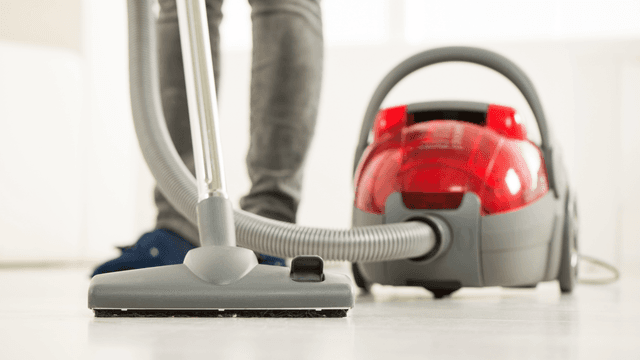
How It Works: Vacuum Cleaner
Learn how a vacuum cleaner creates suction using a motor-driven fan to draw air and debris through filters or bags and into a canister or bag for collection based on fundamental pressure differences and airflow design.

5 Reasons Why Your Vacuum Cleaner Has Lost Its Suction
Find out the five most common causes of lost suction in your vacuum cleaner and how to troubleshoot each from clogged filters and full bags to blockages, fan obstructions, or a failing blower motor.

Three Reasons Why Your Vacuum Cleaner’s Motor Isn’t Working
Find out three common reasons why your vacuum cleaner motor is not working—seized bearings in the suction or brushroll motor, or damaged motor brushes—and how to check and address each issue.




Family-owned and operated since 1912, Burke America Parts Group is the longest-running genuine appliance, HVAC, and outdoor power equipment parts solution in North America. At Repair Clinic, we're proud to be an international brand trusted by the pros as well as the DIY community.
About Repair Clinic