Price Match Guarantee
Kirby Heritage Ii Vacuum Cleaner Clamp Replacement
Find the right part faster
Multiple models matched. Select your model to confirm fit.




Front wheel shaft clamp


Premium Kirby Vacuum Cleaner Clamp Parts for Heritage II
Ensure the optimal function of your Kirby Heritage II Vacuum Cleaner by utilizing genuine OEM replacement clamps. At Repair Clinic, we offer a comprehensive selection of Kirby vacuum cleaner parts online to maintain your vacuum's performance and manufacturer’s warranty. These clamps ensure a precise fit and functionality, vital for a secure and seamless operation of your vacuum. Our inventory empowers you with the correct parts that promise a long-lasting solution for your vacuum cleaner repair needs. Visit our replacement parts page to explore all the essential vacuum cleaner parts.
If you're dealing with issues such as a brush roll that doesn't spin or a vacuum cleaner that won't pick up effectively, check if a loose clamp could be a factor. Ensure all connections are firm to guarantee optimal performance. For more specific needs, browse other Dirt Devil fastener parts that may resolve your issues efficiently.
FAQs about Kirby Heritage II Vacuum Cleaner Clamp Replacement
Discover essential information about obtaining and installing replacement clamps for your Kirby Heritage II vacuum cleaner. Learn how to ensure your vacuum's optimum performance with genuine parts.
How do I know if my vacuum cleaner clamp needs replacement?
If your Kirby Heritage II vacuum clamp is loose or not securing parts correctly, it may need replacing. A faulty clamp can lead to reduced suction and efficiency.
Where can I buy replacement Kirby Heritage II vacuum cleaner clamps?
Find genuine Kirby Heritage II vacuum cleaner clamps online at Repair Clinic. We offer a wide selection of vacuum parts to ensure you get the right fit for your model.
How do I replace a broken vacuum clamp on my Kirby Heritage II cleaner?
To replace the clamp, first turn off and unplug your vacuum. Consult the user manual for guidance on removing the old clamp and installing the new one. Replacement vacuum cleaner parts are essential for maintaining peak functionality.
Check out other Vacuum Cleaner Cap, Lid, Cover parts
Convenient Online Ordering for Kirby Heritage II Vacuum Cleaner Clamp Replacement
For those seeking Kirby Heritage II vacuum cleaner clamp replacements, shopping online has never been easier. With genuine parts readily available, ensuring your vacuum's proper function is simple. Utilize the model number lookup to find the exact clamp replacement you need. Our site offers a price match to guarantee you the best deal, plus no-hassle 365-day returns. Experience the benefits of same-day shipping, ensuring your vacuum is up and running swiftly. Don’t let a faulty clamp affect your cleaning efficiency; shop now for reliable vacuum cleaner parts online. Discover more by exploring Vacuum Cleaner Repair Help or learn about fixing Bosch Vacuum Cleaner Fasteners for additional support.
Locating a Vacuum Cleaner Model Number
For optimal vacuum cleaner repairs and replacement parts, knowing your model number is crucial. Look for it on the vacuum's label, often found at the base or beneath attachments. This number ensures that you secure the exact replacement for your Kirby Heritage II clamp, addressing any mechanical issues swiftly with quality vacuum parts.
If replacing your vacuum cleaner's clamps, ensure you're purchasing original spare parts vacuum to maintain functionality. By entering the model or part number online, ordering replacement vacuum cleaner parts becomes a seamless experience, catering to both homeowner and technician needs.
For more vacuum cleaner parts and repair assistance, visit our Eureka vacuum cleaner pedal parts page for comprehensive repair support.

Get Help Finding the Right Vacuum Cleaner Replacement Parts
At Repair Clinic, we understand the importance of maintaining your Kirby Heritage II Vacuum Cleaner. Whether you need a new clamp or any other parts, our dedicated support team is ready to assist you. With expert guidance and a comprehensive model/part number lookup, finding the exact parts for your vacuum cleaner is simple and hassle-free. Enjoy seamless online ordering and the peace of mind with our price match policy. Our genuine OEM parts ensure your vacuum cleaner operates at its best. If you encounter worn motor brushes or a snapped belt, our guides and live chat support, available seven days a week, can guide your repair process. Visit our Contact Us page for assistance. Trust Repair Clinic for your vacuum cleaner parts replacement needs, with no-hassle 365-day returns and same-day shipping.
Related Articles: Vacuum Cleaner Repair
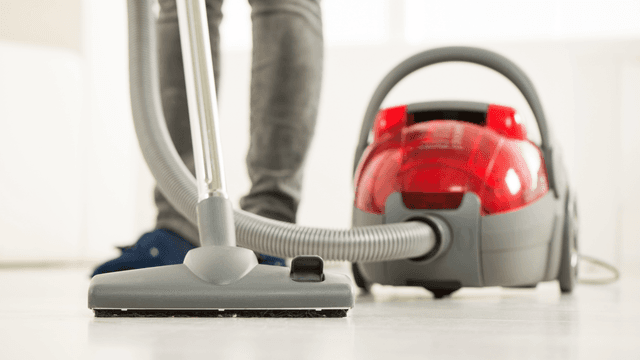
How It Works: Vacuum Cleaner
Learn how a vacuum cleaner creates suction using a motor-driven fan to draw air and debris through filters or bags and into a canister or bag for collection based on fundamental pressure differences and airflow design.

5 Reasons Why Your Vacuum Cleaner Has Lost Its Suction
Find out the five most common causes of lost suction in your vacuum cleaner and how to troubleshoot each from clogged filters and full bags to blockages, fan obstructions, or a failing blower motor.
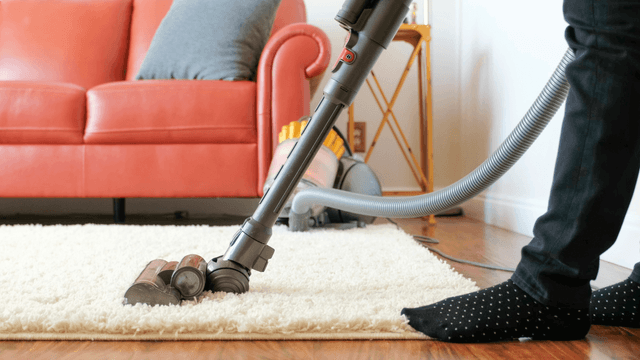
Three Reasons Why Your Vacuum Cleaner’s Motor Isn’t Working
Find out three common reasons why your vacuum cleaner motor is not working—seized bearings in the suction or brushroll motor, or damaged motor brushes—and how to check and address each issue.




Family-owned and operated since 1912, Burke America Parts Group is the longest-running genuine appliance, HVAC, and outdoor power equipment parts solution in North America. At Repair Clinic, we're proud to be an international brand trusted by the pros as well as the DIY community.
About Repair Clinic