


 Price Match Guarantee
Kirby Vacuum Cleaner Button Replacement






Kirby Vacuum Cleaner Button Replacement
Repair Clinic offers genuine OEM replacement parts for Kirby vacuum cleaners, ensuring that your device maintains manufacturer warranty standards with a precise fit. When it comes to button replacement, choosing high-quality components is crucial for optimal performance. If your Kirby vacuum's button is malfunctioning or broken, explore our vast inventory of replacement parts to find the perfect match for your model. Our DIY guides assist both enthusiasts and technicians in executing repairs efficiently. If you're looking for additional parts for your Kirby or other brands, Repair Clinic's online platform supports easy ordering and unbeatable price match offers.
FAQs about Kirby Vacuum Cleaner Button Replacement
Kirby vacuum cleaners are known for their durability and dependability, but like all machines, they may require part replacements such as buttons over time. Here are some common questions related to Kirby vacuum cleaner button replacement.
How do I replace a button on my Kirby vacuum cleaner?
Replacing a button on a Kirby vacuum is a straightforward process. First, ensure the vacuum is unplugged. Remove the housing cover to access the faulty button. Once accessible, disconnect the button from the wiring harness and snap in the replacement button. For genuine parts, check out Kirby vacuum cleaner parts online.
What symptoms indicate a button replacement is needed on my Kirby vacuum?
Common signs include the button being unresponsive or sticking. If the vacuum cleaner doesn’t turn on or off or if the button feels stuck, it likely needs replacing. Repair Clinic offers a variety of Kirby vacuum cleaner repair parts to address these issues efficiently.
Are replacement buttons expensive for Kirby vacuum cleaners?
Kirby vacuum replacement buttons are generally affordable. The cost depends on the model and part needed. At Repair Clinic, we are committed to price match on genuine OEM replacement parts, ensuring you get the best deal possible.
Order Kirby Vacuum Cleaner Button Replacement Parts Online
Get your Kirby vacuum back in top shape by ordering replacement button parts online. Our easy-to-use online store ensures you find the exact button replacements compatible with your model. With same-day shipping, your parts will arrive quickly, so you can promptly fix any issues. Use the model number/part number lookup to guarantee correct fitting. Enjoy no-hassle 365-day returns and a price match if you find genuine Kirby parts cheaper elsewhere. Don't let a faulty button hinder your cleaning routine. Visit our Vacuum Cleaner Repair Help page for guides on repairs, including circuit board repairs for LG vacuums. Repair Clinic ensures a seamless online shopping experience for homeowners and professionals alike, emphasizing fast delivery and affordable parts to keep your Kirby vacuum functioning at its best.
Finding Your Vacuum Cleaner Model or Part Number
The model number of your Kirby vacuum cleaner is crucial for ordering replacement parts such as buttons. Usually found on the machine's underside or a label inside the dust compartment, this number helps identify suitable spare parts. When looking for "Kirby vacuum parts," the correct model number ensures compatibility, simplifying the replacement process. With the model number handy, you can efficiently search online for "vacuum cleaner parts" and enjoy easy ordering through platforms like Repair Clinic.
Visit our page for Bissell Vacuum Cleaner Lid Parts to explore related components.

Contact Us for Vacuum Cleaner Parts Assistance
When you need Kirby vacuum cleaner button replacements, count on Repair Clinic's expert support to guide you. Our dedicated customer service team is available seven days a week to help you find the exact part you need. With our user-friendly model/part number lookup, ordering vacuum cleaner parts online has never been easier. Ensure optimal performance with genuine OEM vacuum parts and benefit from our price match policy and no-hassle 365-day returns. For common Kirby vacuum issues, remember that a faulty button can often be replaced easily. Test it with a multimeter and ensure continuity. Check out our comprehensive DIY vacuum cleaner repair help section offering repair guides and videos. For quick and reliable parts ordering and troubleshooting assistance, Contact Us anytime for personalized support. Let Repair Clinic empower you to maintain your vacuum cleaner confidently.
Related Articles: Vacuum Cleaner Repair

New Year’s Appliance Maintenance Resolutions
Learn simple appliance maintenance resolutions to start the New Year right with DIY tips like cleaning your dishwasher spray arm, refrigerating coil upkeep, oven care, and dryer lint vent cleaning.
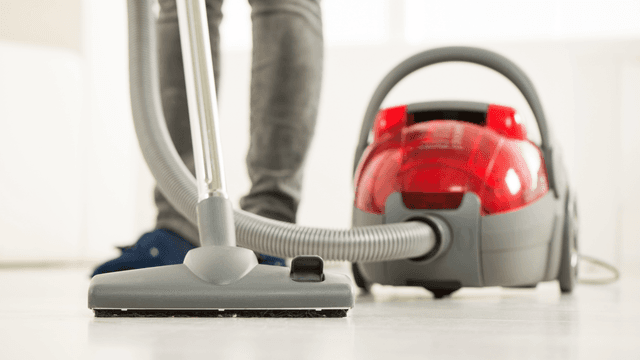
How It Works: Vacuum Cleaner
Learn how a vacuum cleaner creates suction using a motor-driven fan to draw air and debris through filters or bags and into a canister or bag for collection based on fundamental pressure differences and airflow design.

5 Reasons Why Your Vacuum Cleaner Has Lost Its Suction
Find out the five most common causes of lost suction in your vacuum cleaner and how to troubleshoot each from clogged filters and full bags to blockages, fan obstructions, or a failing blower motor.




Family-owned and operated since 1912, Burke America Parts Group is the longest-running genuine appliance, HVAC, and outdoor power equipment parts solution in North America. At Repair Clinic, we're proud to be an international brand trusted by the pros as well as the DIY community.
About Repair Clinic