Price Match Guarantee
Kirby Heritage Ii Vacuum Cleaner Light Bulb Replacement
Find the right part faster
Multiple models matched. Select your model to confirm fit.



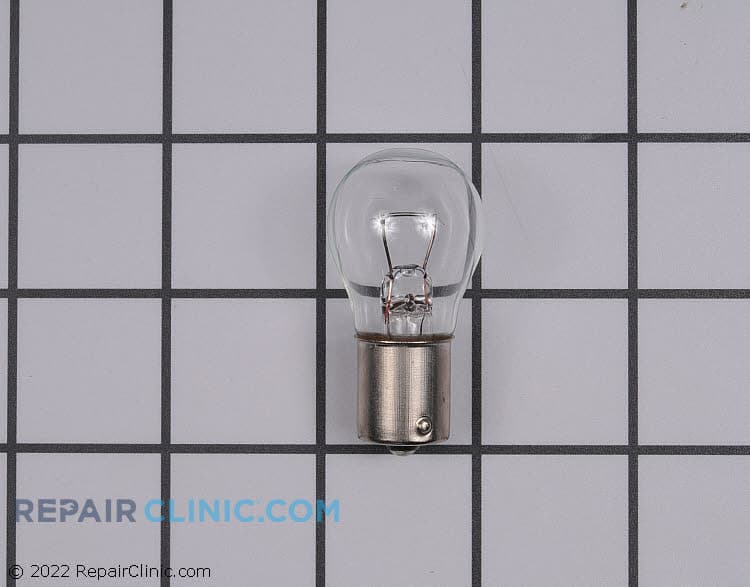
Headlight bulb


Kirby Heritage II Vacuum Cleaner Light Bulb Replacement
Maintaining your Kirby Heritage II vacuum cleaner with genuine OEM light bulb replacements ensures optimal performance and adherence to the manufacturer’s warranty. These replacement bulbs are designed to fit perfectly, so you can achieve the precise functionality for your specific model. A malfunctioning or dim light bulb can hinder your cleaning efficiency. At Repair Clinic, you can order your genuine vacuum cleaner parts online and save both time and money on necessary repairs. For related maintenance, explore other lighting parts for your vacuum cleaner.
Vacuum Cleaner Light Bulb Replacement FAQs
Dealing with a faulty light bulb in your vacuum cleaner? Our guide will help you with vacuum cleaner light bulb replacement, specifically for the Kirby Heritage II model.
How do I replace the light bulb in my Kirby Heritage II vacuum cleaner?
First, ensure the vacuum is unplugged. Remove the headlight lens cover by pressing down on the tabs. Remove the old bulb by pulling it straight out, and insert the new bulb. Reattach the lens cover securely.
Where can I find replacement light bulbs for my Kirby Heritage II vacuum?
Replacement light bulbs can be purchased online at Repair Clinic. We offer a wide range of vacuum cleaner parts replacement, including specific parts for Kirby models.
How much does a replacement light bulb for my vacuum cleaner cost?
The cost of a replacement light bulb can vary, but Repair Clinic ensures competitive prices. Utilize our price match feature to ensure you pay the best price available for genuine OEM parts.
Order Kirby Heritage II Vacuum Cleaner Light Bulb Replacement Online
Ensure your Kirby Heritage II vacuum cleaner is fully functional with original light bulb replacements available online. Replacing a faulty light bulb is crucial for optimal performance, and you can quickly order genuine Kirby parts for seamless repairs. Enjoy the advantage of same-day shipping, making it convenient to have your replacement parts dispatched and delivered promptly. Utilize the model and part number lookup to guarantee compatibility with your vacuum cleaner, and enjoy No-Hassle 365-Day Returns for a risk-free shopping experience. Our price match ensures you get the best deal on Kirby Heritage II vacuum cleaner light bulb replacement parts. Whether you're a DIY enthusiast or a professional technician, Repair Clinic is your go-to source, providing a trusted platform for finding and ordering essential vacuum cleaner repair parts online. For more tips and guidance, visit our Vacuum Cleaner Repair Help section.
How to Locate a Vacuum Cleaner Model Number
When replacing light bulbs in your Kirby vacuum cleaner, knowing the exact model number is crucial for finding the right parts fast. The model number is typically found on a label or decal on the body of your vacuum, sometimes on the underside or near the power switch. Utilize this number to search for the correct replacement bulb. Visit online stores like Repair Clinic for easy model number lookup, allowing effortless ordering of bulbs and other original spare parts, ensuring perfect fit and performance. Keeping your Kirby vacuum's lights functioning enhances visibility during cleaning, ensuring optimal performance.
For more Kirby parts, explore the Kirby Power Cord Parts section on Repair Clinic. Repair Clinic offers price matching, 365-day returns, and extensive repair resources to help homeowners and professionals maintain their Kirby vacuum cleaners.

Find Expert Support for Your Vacuum Cleaner Replacement Needs
For all your Vacuum Cleaner light bulb replacement needs, Repair Clinic offers a seamless online experience with expert support available every day of the week. Access our easy-to-use model/part lookup tool to find genuine OEM vacuum parts, ensuring your Kirby Heritage Ii Vacuum Cleaner stays in top condition. Whether you're a homeowner or a professional technician, our dedicated support team is ready to assist via live chat, helping you confidently order the right parts. Troubleshoot issues like a faulty switch by using our comprehensive guides; if your vacuum's motor isn't working, test and potentially replace the switch. Don't forget our no-hassle 365-day returns and price match policy. Visit our Contact Us page for more information on our services and discover how we help you fix your equipment with confidence.
Related Articles: Vacuum Cleaner Repair
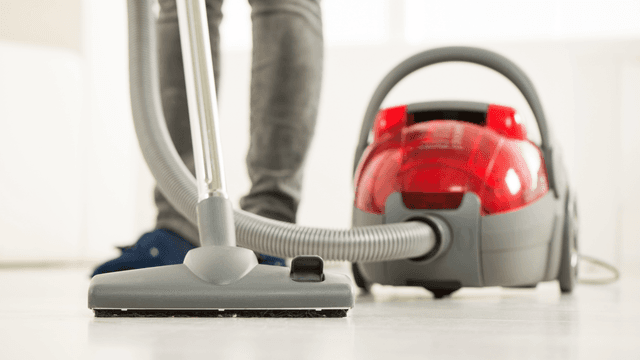
How It Works: Vacuum Cleaner
Learn how a vacuum cleaner creates suction using a motor-driven fan to draw air and debris through filters or bags and into a canister or bag for collection based on fundamental pressure differences and airflow design.

5 Reasons Why Your Vacuum Cleaner Has Lost Its Suction
Find out the five most common causes of lost suction in your vacuum cleaner and how to troubleshoot each from clogged filters and full bags to blockages, fan obstructions, or a failing blower motor.

New Year’s Appliance Maintenance Resolutions
Learn simple appliance maintenance resolutions to start the New Year right with DIY tips like cleaning your dishwasher spray arm, refrigerating coil upkeep, oven care, and dryer lint vent cleaning.




Family-owned and operated since 1912, Burke America Parts Group is the longest-running genuine appliance, HVAC, and outdoor power equipment parts solution in North America. At Repair Clinic, we're proud to be an international brand trusted by the pros as well as the DIY community.
About Repair Clinic