Price Match Guarantee
Kirby Heritage Ii Vacuum Cleaner Drive Belt Replacement
Find the right part faster
Multiple models matched. Select your model to confirm fit.



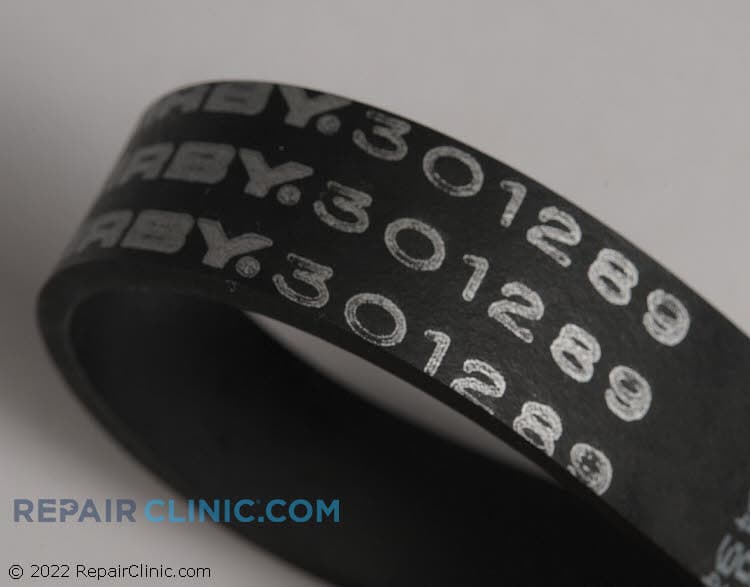
Vacuum belt


Kirby Heritage II Vacuum Cleaner Belt Replacement
For DIY enthusiasts and professionals alike, replacing a vacuum drive belt is crucial for maintaining performance. At Repair Clinic, we supply genuine OEM vacuum cleaner belt parts specifically designed to fit your Kirby Heritage II model. It's vital to replace broken or worn belts promptly; they ensure the brush roll functions optimally, preventing any loss of power or motility. Whether your belt is old, worn, or improperly installed, purchasing the correct replacement belt is straightforward with our online inventory. Navigate to our replacement parts page where you can order replacement parts online efficiently.
Experiencing frequent belt breaks? Possible causes include a misaligned brush roll or incorrect belt size. To ensure your brush stays spinning and your cleaning remains effective, explore our reliable Kirby Heritage vacuum cleaner parts. Additionally, explore our selection of Hoover vacuum cleaner bracket flange parts.
FAQs about Kirby Heritage II Vacuum Cleaner Drive Belt Replacement
Explore common questions related to replacing the drive belt in your Kirby Heritage II vacuum cleaner. Understand the process, costs, and common concerns for ensuring optimal performance.
How do I know if my Kirby Heritage II vacuum needs a new drive belt?
If your vacuum isn't picking up dirt effectively or the brush roll isn't spinning despite the motor running, it's likely the drive belt is worn or broken. Inspect it for signs of wear or damage.
How can I replace the drive belt on my Kirby Heritage II vacuum cleaner?
Unplug the vacuum and remove the nozzle. Slide off the old belt from the motor shaft and brush roll. Install a new belt onto the motor shaft and stretch it over the brush roll. Reassemble the nozzle.
Where can I purchase original Kirby Heritage II vacuum replacement parts?
Visit Repair Clinic for genuine Kirby vacuum cleaner parts including drive belts. Shop online for a full range of original vacuum parts with same-day shipping.
Order Kirby Heritage II Vacuum Cleaner Drive Belt Replacement Online
Ensure the longevity and performance of your Kirby Heritage II vacuum cleaner with genuine drive belt replacements available online. These essential vacuum parts are crucial for maintaining your cleaner’s functionality, especially if you're experiencing issues like the brush roll not spinning. Simplify your search by using our model number lookup to quickly find the correct replacement belt. Enjoy the convenience of same-day shipping, ensuring your repair needs are met promptly. With our No-Hassle 365-Day Returns and part price match, you can shop confidently for your vacuum cleaner parts. Whether you're a homeowner tackling a swift repair or a professional technician, our comprehensive selection of original spare parts vacuum essentials, like drive belts, keeps your Kirby vacuum at peak performance. Explore repair and replacement parts for your Kirby vacuum or dive into our extensive Vacuum Cleaner Repair Help section for tips and guides.
Locating the Model Number for Your Vacuum Cleaner
Finding your vacuum cleaner's model number is crucial for acquiring the correct replacement parts, such as the drive belt essential for the Kirby Heritage II. Typically, the model number is situated on a label or plate which can be found on the back, mount, or even bottom of your vacuum cleaner. Use the model number to search for specific vacuum cleaner parts online. For an extensive selection of vacuum cleaner repair parts and effortless online ordering, check out Repair Clinic’s Kirby Vacuum Cleaner Drive Belt Parts page. Ensure you have a functioning Kirby Heritage II by identifying the necessary vacuum parts swiftly.

Expert Customer Service for Vacuum Cleaner Repairs and Orders
If you're experiencing issues with your Kirby Heritage II vacuum cleaner, our dedicated team is here to help you find the right drive belt replacement easily. Enjoy seamless online ordering of vacuum cleaner parts with our model/part number lookup tool. Access expert help seven days a week through our live chat and email support. Should your vacuum cleaner belt keep breaking, it might be due to an old or faulty belt or incorrect installation. Ensure your brush roll spins freely and that the belt tracks correctly on pulleys. With genuine OEM parts, your repairs are backed by our part price match and no-hassle 365-day return policies. Save on your repair needs by exploring our trusted repair guides and videos. Trust Repair Clinic for a smooth vacuum cleaner parts replacement experience, helping homeowners and technicians keep their appliances running optimally.
Related Articles: Vacuum Cleaner Repair
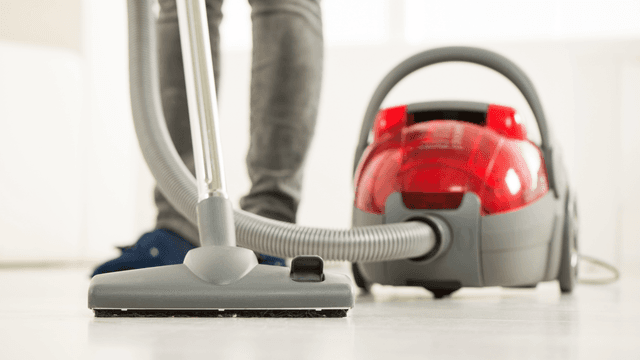
How It Works: Vacuum Cleaner
Learn how a vacuum cleaner creates suction using a motor-driven fan to draw air and debris through filters or bags and into a canister or bag for collection based on fundamental pressure differences and airflow design.

5 Reasons Why Your Vacuum Cleaner Has Lost Its Suction
Find out the five most common causes of lost suction in your vacuum cleaner and how to troubleshoot each from clogged filters and full bags to blockages, fan obstructions, or a failing blower motor.
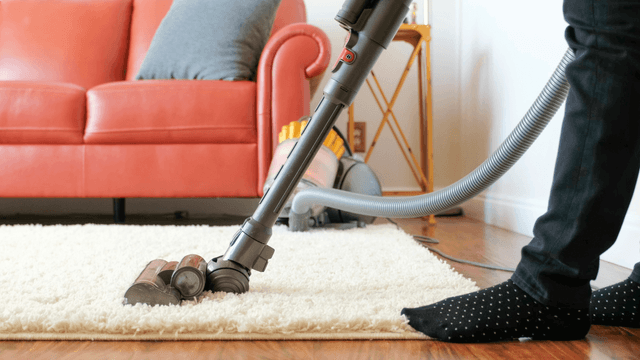
Three Reasons Why Your Vacuum Cleaner’s Motor Isn’t Working
Find out three common reasons why your vacuum cleaner motor is not working—seized bearings in the suction or brushroll motor, or damaged motor brushes—and how to check and address each issue.




Family-owned and operated since 1912, Burke America Parts Group is the longest-running genuine appliance, HVAC, and outdoor power equipment parts solution in North America. At Repair Clinic, we're proud to be an international brand trusted by the pros as well as the DIY community.
About Repair Clinic