


 Price Match Guarantee
Oreck Vacuum Cleaner Decal Replacement
Find the right part faster
Multiple models matched. Select your model to confirm fit.



Escutcheon


Upgrade with Genuine Oreck Vacuum Cleaner Decal Parts
Elevate your vacuum cleaner’s appearance and performance with genuine Oreck vacuum cleaner decal replacement parts from Repair Clinic. Our genuine OEM decals ensure a perfect fit and maintain your vacuum’s original design integrity. Whether you need to replace worn-out decals or customize your vacuum cleaner, you can easily find the exact decals for your specific Oreck model. Using original spare parts helps maintain the manufacturer’s warranty and ensures a precise fit.
Common issues can include fading or peeling decals—replace them with our genuine parts to restore your vacuum cleaner to its original look. Our selection of genuine Oreck decals helps you achieve that factory-fresh appearance without compromising the quality. Explore more Oreck vacuum cleaner parts and keep your appliance in peak condition. For all types, visit our replacement parts. Maintain your vacuum’s appearance with premium decal parts available now.
Find a Replacement Oreck Vacuum Cleaner Decal Online by Model or Part Number
Popular Oreck Vacuum Cleaner Decal Models
FAQs about Oreck Vacuum Cleaner Decal Replacement
Find all the information you need about replacing decals for Oreck vacuum cleaners. Whether you're a homeowner or a professional technician, these FAQs will assist you in maintaining and enhancing the appearance of your vacuum.
How do I replace the decal on my Oreck vacuum cleaner?
To replace a decal, gently clean the area where the current decal is situated to remove any dust or residue. Peel the backing from the new decal and carefully apply it in the desired position, ensuring a smooth and bubble-free application. Press firmly to secure it in place.
Where can I find original Oreck vacuum cleaner decals?
You can purchase original spare parts for your Oreck vacuum cleaner, including decals, at online retailers like Repair Clinic. They provide genuine parts with a price match option on all identical parts, so you always get the best deal.
Are replacement decals necessary for my vacuum cleaner's performance?
While decals do not affect the performance of your vacuum, they are essential for maintaining its aesthetic appeal and brand identity. If the decal is damaged or missing, replacing it can enhance the vacuum's overall look.
Shop Oreck Vacuum Cleaner Decal Replacement Online
Give your Oreck vacuum a refreshed look with genuine Oreck vacuum cleaner decal replacements, available for easy online ordering. Whether you need to replace a worn or missing decal, you're just a few clicks away from finding precisely what you need. Enjoy the convenience of same-day shipping to get your vacuum looking like new without delay. Discover how easy it is to locate compatible Oreck parts using model or part numbers, backed by our price match and no-hassle 365-day returns. Keep your vacuum cleaner visually appealing and functioning at its best with authentic replacement decals. If you're facing other issues with your vacuum, such as performance failures or motor problems, explore our Vacuum Cleaner Repair Help section for comprehensive guidance and solutions.
Locating Your Vacuum Cleaner Model Number
When it comes to vacuum cleaner repair, knowing the model number is essential for finding the right vacuum cleaner parts online. If you need to replace the decal on your Oreck vacuum cleaner, check the bottom or back of the vacuum for a label with the model number. This model number allows you to easily order Oreck vacuum cleaner replacement decals and other parts needed for maintenance or repair. The model number also helps in ensuring you find genuine OEM parts for reliable vacuum cleaner repair.
For those seeking a new decal or other parts, remember that when you purchase genuine Oreck vacuum cleaner repair parts from Repair Clinic, you benefit from a price match. For more on related components, explore Kenmore Vacuum Cleaner Cap, Lid, and Cover Parts, ensuring you have options for every repair need.

Get Help Finding the Right Vacuum Cleaner Replacement Parts
Our customer service team is available seven days a week to assist you in finding the perfect vacuum parts for your needs. With genuine Oreck vacuum cleaner decal replacements, you can maintain the look and functionality of your machine. Access our easy-to-use model/part number lookup to find the exact replacement part you need effortlessly. Enjoy the assurance of our price match and no-hassle 365-day returns. Explore our comprehensive repair guides for tackling common issues like a damaged decal or a faulty motor switch. Visit our Contact Us page to connect with our expert support via live chat for tailored assistance. Trust Repair Clinic for all original spare parts and enjoy seamless online ordering today!
Related Articles: Vacuum Cleaner Repair
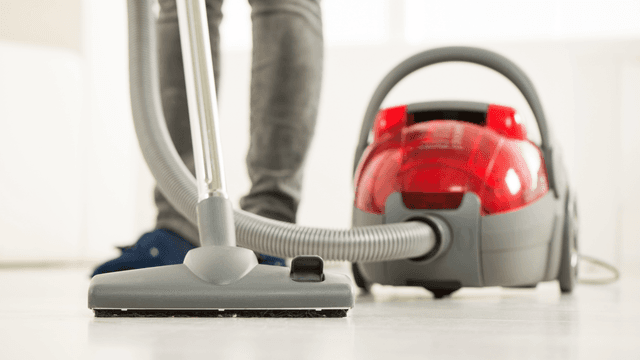
How It Works: Vacuum Cleaner
Learn how a vacuum cleaner creates suction using a motor-driven fan to draw air and debris through filters or bags and into a canister or bag for collection based on fundamental pressure differences and airflow design.

5 Reasons Why Your Vacuum Cleaner Has Lost Its Suction
Find out the five most common causes of lost suction in your vacuum cleaner and how to troubleshoot each from clogged filters and full bags to blockages, fan obstructions, or a failing blower motor.

New Year’s Appliance Maintenance Resolutions
Learn simple appliance maintenance resolutions to start the New Year right with DIY tips like cleaning your dishwasher spray arm, refrigerating coil upkeep, oven care, and dryer lint vent cleaning.




Family-owned and operated since 1912, Burke America Parts Group is the longest-running genuine appliance, HVAC, and outdoor power equipment parts solution in North America. At Repair Clinic, we're proud to be an international brand trusted by the pros as well as the DIY community.
About Repair Clinic