


 Price Match Guarantee
KitchenAid Trash Compactor Decal Replacement
Find the right part faster
Multiple models matched. Select your model to confirm fit.




Escutcheon


Genuine KitchenAid Trash Compactor Decal Replacements
Maintain your KitchenAid trash compactor's appearance and functionality with genuine OEM decal replacements from Repair Clinic. Whether it's due to wear or a cleaner makeover, our decals ensure a perfect fit for your specific model. Replacing decals helps keep your compactor looking new while aligning with the manufacturer’s warranty. For easy DIY fixes and support, Repair Clinic offers expert guidance and access to an extensive inventory of
replacement parts available for same-day shipping. Explore our kitchen essentials like KitchenAid trash compactor door handles to enhance your repair tool kit. DIY enthusiasts and professionals trust us for accurate solutions. Shop with confidence; our competitive pricing even includes a price match.
Find a Replacement KitchenAid Trash Compactor Decal Online by Model or Part Number
Popular KitchenAid Trash Compactor Decal Models
FAQs about KitchenAid Trash Compactor Decal Replacement
Explore common questions about replacing decals on your KitchenAid trash compactor.
How do I replace the decals on my KitchenAid trash compactor?
To replace decals, begin by cleaning the surface thoroughly. Peel the backing off the new decal and carefully apply it to the designated area, ensuring it is aligned correctly. Use a squeegee to smooth out any air bubbles.
Where can I find replacement decals for KitchenAid trash compactors?
You can find genuine KitchenAid trash compactor replacement parts, including decals, at Repair Clinic. They offer a wide selection of parts online with same-day shipping.
Why is my kitchen trash compactor decal fading?
Decals may fade due to exposure to heat, moisture, or cleaning chemicals. To prevent this, avoid using harsh cleaners and regularly wipe the surface gently. Replace faded decals to maintain the appliance's appearance.
At Repair Clinic, we empower both homeowners and technicians with various KitchenAid trash compactor parts and resources, offering price match and easy returns for securing authentic, quality products.


Order KitchenAid Trash Compactor Decal Replacement Online
Ensure your KitchenAid trash compactor looks brand new with a replacement decal. Finding genuine KitchenAid trash compactor replacement decals online is simple and convenient. Enter your model or part number for quick results. Enjoy the benefits of same-day shipping when you place your order early, ensuring that repairs are completed on time. With our no-hassle 365-day returns, if the decal isn't suitable, send it back without stress. We also offer a price match policy to guarantee you're getting the best deal on genuine parts. Whether you’re a homeowner or a professional technician, these quality decals can spruce up your unit effortlessly. Explore other KitchenAid Trash Compactor Parts for comprehensive repairs. For troubleshooting tips, visit our Trash Compactor Repair Help page.
Identifying Your Trash Compactor Model Number
Installing a KitchenAid trash compactor decal to refresh the appearance involves identifying the model number. This number is crucial for ensuring compatibility with replacement parts. Typically found near the control panel, along the inner sides, or on a metal tag, it facilitates quick lookup for perfect fitting components. For seamless kitchen updates or repairs, use the model number to order replacement decals and more from KitchenAid Trash Compactor Panel Decal Parts. Browse Repair Clinic’s offerings with confidence, supported by a price match and no-hassle 365-day returns. Check KitchenAid trash compactor door panels for comprehensive maintenance solutions.

Expert Customer Service for Trash Compactor Repairs and Orders
Looking for KitchenAid trash compactor decal replacement or any other compactor parts? Our dedicated support team is here to help you quickly find and order the right parts online. With our model/part number lookup, locating the exact trash compactor replacement parts is simple. Enjoy peace of mind with our price match on genuine OEM parts. Our customer service is available seven days a week, ready to assist with live chat or through our Contact Us page. Experiencing common issues like a trash compactor that won't start or makes loud noises? Use ourDIY repair guides, and benefit from our easy 365-day return policy. Our expert troubleshooting ensures a seamless process for any required trash compactor repair, encouraging both homeowners and professional technicians to reach out with any questions. With Repair Clinic, fixing your equipment is both easy and rewarding.
Related Articles: Trash Compactor Repair

Trash Compactor Not Compacting? Test Directional Switch
Explore how to test your trash compactor’s directional switch with a multimeter to troubleshoot why it is not compacting properly.
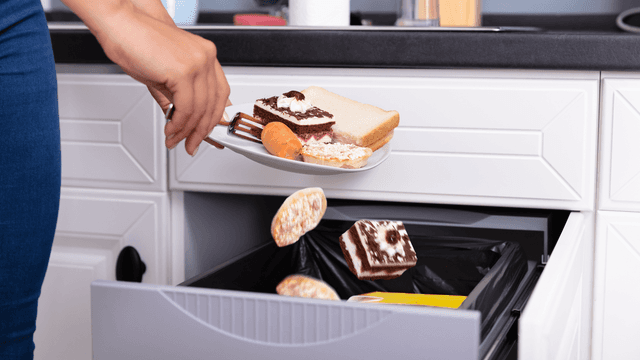
Trouble Starting Your Trash Compactor? 4 Likely Causes
Learn about the four likely causes for trouble starting your trash compactor, including power issues, a faulty start switch, a malfunctioning drawer switch, or a defective drive motor.

Garbage Disposal Vs. Garbage Disposer
Explore the interchangeable use of the terms garbage disposal and garbage disposer and how to find matching parts for either using your model number on RepairClinic.




Family-owned and operated since 1912, Burke America Parts Group is the longest-running genuine appliance, HVAC, and outdoor power equipment parts solution in North America. At Repair Clinic, we're proud to be an international brand trusted by the pros as well as the DIY community.
About Repair Clinic