


 Price Match Guarantee
Find the right part faster
Multiple models matched. Select your model to confirm fit.




Decal


Authentic Magic Chef Microwave Decal Replacements
Ensure your Magic Chef microwave retains its aesthetic appeal and functionality with genuine OEM decal replacements from Repair Clinic. Our replacement appliance parts are crafted to deliver a precise fit and maintain the original warranty. Whether your microwave's decals have faded or peeled, finding the right replacement decals is crucial for maintaining the unit's brand integrity and control visibility. With our easy-to-navigate online catalog, you can find the perfect Magic Chef microwave decals and more. In addition to decals, we offer a wide range of microwave repair parts to keep your appliance running smoothly. Repair Clinic is committed to providing DIY enthusiasts and technicians with the right parts to ensure quick and efficient repairs.
Popular Magic Chef Microwave Decal Models
FAQs about Magic Chef Microwave Decal Replacement
When dealing with worn or damaged decals on your Magic Chef microwave, it's important to find the right replacement to maintain the appliance's functionality and appearance. Here are some frequently asked questions to guide you.
How do I replace the decal on my Magic Chef microwave?
To replace the decal, first ensure the microwave is unplugged. Carefully peel off the old decal, clean the surface, and apply the new decal, ensuring it is aligned correctly.
Where can I find the model number for my Magic Chef microwave?
The model number is usually located on the inside of the door or on the back of the microwave. This information is essential when ordering replacement parts.
How much do replacement decals for Magic Chef microwaves cost?
Decal prices vary depending on the model and supplier. Check online retailers like Repair Clinic for competitive pricing on genuine OEM decals.
Can I use my microwave without the decal?
While you can operate a microwave without a decal, it's not recommended as the decal often includes important information such as cooking instructions and safety warnings.
Why choose Repair Clinic for Magic Chef microwave parts?
Repair Clinic offers a wide selection of genuine OEM replacement parts, same-day shipping, and a 365-day return policy. Visit our Appliance Parts page for all your needs. For related items, explore our Microwave Touchpad Parts collection.
Order Magic Chef Microwave Decal Parts Online
Revitalize your Magic Chef Microwave with genuine OEM decal parts from Repair Clinic. Over time, decals can fade or peel, impacting the appearance and functionality of your appliance. Our convenient online store offers same-day shipping, a Price Match Guarantee, and No-Hassle 365-Day Returns, ensuring you can replace your decals quickly and affordably. Use our model number lookup tool to find the perfect decal match for your Magic Chef Microwave. For further assistance, explore our Microwave Repair Help page or consider related options such as Microwave Touchpad Parts to keep your appliance in top condition.
Finding the Model Number for Your Microwave
To locate the model number for your Magic Chef microwave, check areas such as the interior wall, the door frame, or the back of the appliance. Finding this number is crucial for ordering the correct replacement parts, like a decal or other specific components. With the model number, you can easily search for Magic Chef microwave parts online and ensure a proper fit. If your microwave decal is damaged or worn, identifying the model number will help you find the exact replacement needed for repair. For other parts, such as the Microwave Latch Parts, having the model number ensures compatibility and straightforward online ordering, saving time and avoiding mismatches. Repair Clinic offers a vast selection of parts with benefits like same-day shipping and a 365-day return policy, making it easy for homeowners and technicians to maintain their appliances efficiently.

Find the Right Magic Chef Microwave Parts with Expert Help
Need assistance with Magic Chef Microwave parts? Our customer service team is available seven days a week to ensure you find the right replacement parts efficiently. Whether you're dealing with issues like buttons not working or the microwave not heating, our experts can guide you through troubleshooting steps. For quick support, use our live chat or call us at Repair Clinic. We specialize in genuine OEM parts and provide extensive repair resources, including easy-to-follow guides and videos. Leverage our Model/Part Number Lookup to quickly find exact parts. Enjoy benefits like a Price Match Guarantee and a No-Hassle 365-Day Returns policy. Repair Clinic is committed to empowering DIYers and professionals with quality parts and exceptional service. Visit our website for more information or to start your order today.
Related Articles: Microwave Parts
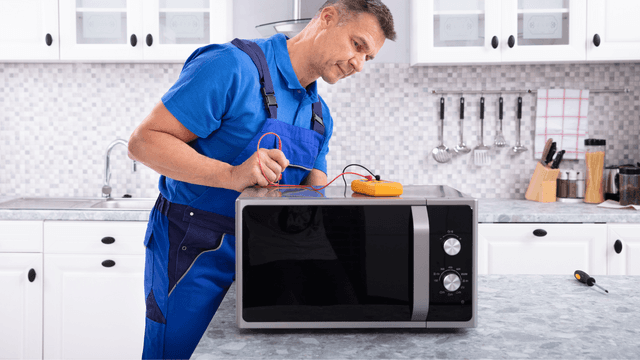
Testing A Microwave Capacitor
Learn how to safely test a microwave capacitor using a multimeter to determine if it's faulty and causing your microwave to malfunction.
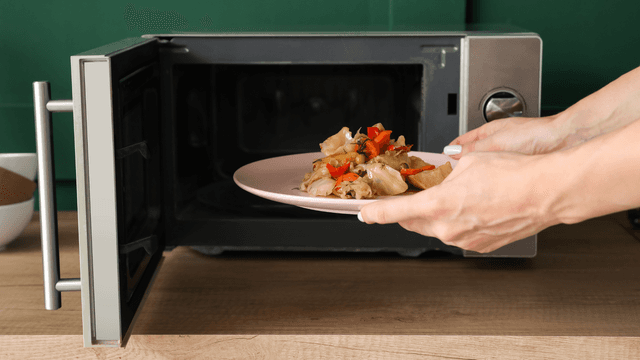
7 Probable Causes Of Your Microwave Not Heating
Explore the most common reasons your microwave isn't heating, from defective magnetrons to door switch failures, and how to troubleshoot each issue.
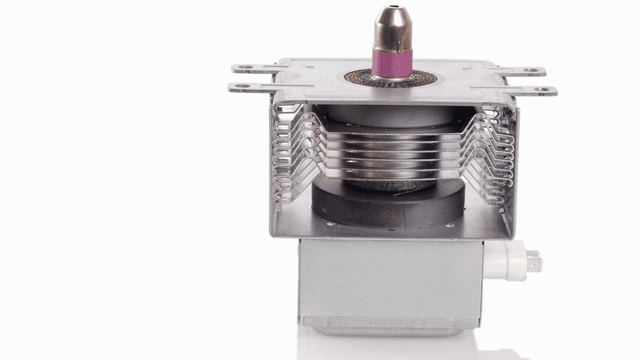
Microwave Magnetron Testing
Find out how to test a microwave magnetron to diagnose heating problems and determine if this crucial component needs to be replaced.




Family-owned and operated since 1912, Burke America Parts Group is the longest-running genuine appliance, HVAC, and outdoor power equipment parts solution in North America. At Repair Clinic, we're proud to be an international brand trusted by the pros as well as the DIY community.
About Repair Clinic