


 Price Match Guarantee
Find the right part faster
Multiple models matched. Select your model to confirm fit.





Touch panel


Touch pad
Overlay, graphics
Overlay, graphic
Overlay, electronic-h

Key Unit

Key unit

Key unit

Keypad

Display LED sheet, yellow/orange

Led sheet

Key pad
Touch pad
Touchpad

Key unit


Sharp Microwave Touchpad and Control Panel Parts
A frozen or unresponsive touchpad is one of the most frustrating microwave failures — your Sharp microwave runs, but you can't enter time, power level, or start commands. The touchpad membrane and control board work together to register your input, and either part can fail from age, moisture, or electrical stress.
OEM Sharp touchpad assemblies and replacement control boards restore full functionality. Because Sharp microwaves vary by model year and cavity size, entering your model number ensures you get the exact touchpad overlay, membrane switch, or PCB board your microwave needs.
- Touchpad not responding to touch: Membrane switch degradation or control board failure; test continuity on pad pins
- Buttons work intermittently: Worn membrane contact points; touchpad assembly replacement is the fix
- Display lights but touchpad dead: Control board still powers the display but pad circuit has failed
- All controls unresponsive: Control board likely failed; verify with continuity tester before replacing
- Touchpad cracked or peeling: Overlay damage; replacement touchpad assembly restores usability
Find Replacement Sharp Microwave Touchpad Parts Online by Model or Part Number
Popular Sharp Microwave Models
Sharp Microwave Touchpad & Control Panel FAQs
What's the difference between a Sharp microwave touchpad and the control board?
The touchpad is the membrane switch overlay you press — it sends electrical signals to the control board. The control board (PCB) receives those signals and executes commands. If the touchpad membrane is worn or damaged, replacing just the pad restores touch responsiveness. If the board itself is cracked or burned, you need a new control board. Sharp uses both parts together; verify which has failed before ordering.
How do I know if my Sharp touchpad or control board failed?
Test continuity across the touchpad pins with a multimeter — if there's no continuity, the pad membrane is open. If the display lights but no buttons work, the board may have failed. Some Sharp models have the touchpad and board as one assembly; others have them separate. Your model number determines which configuration you have and which part to replace.
Can I replace just the touchpad overlay, or do I need the whole assembly?
Many Sharp microwaves have the touchpad membrane glued to the control board as a single unit. Replacing just the overlay is rarely possible. OEM Sharp touchpad assemblies include the membrane, board, and housing as a complete replacement. Confirm your model number to see if your unit has a separable pad or if the full assembly is required.
Why did my Sharp microwave touchpad stop working?
Moisture from steam, food splatter, or age-related wear breaks down the membrane contacts. Electrical surges or power fluctuations can also damage the control board traces. Once the touchpad fails, it's not repairable — replacement is a recommended option. Use your Sharp model number to find the correct OEM touchpad or control board for a fast, reliable fix.
Order Sharp Microwave Touchpad Parts Online
Get your Sharp Microwave touchpad back up and running with genuine OEM touchpad parts from Repair Clinic. A responsive touchpad is key for selecting cooking options and ensuring your Microwave operates smoothly. Use our model number lookup to find the specific touchpad you need, and benefit from same-day shipping and a Price Match Guarantee. Our No-Hassle 365-Day Returns make it easy to shop confidently. For installation guidance, visit our Microwave Repair Help page. Additionally, browse other related parts like Sharp Microwave Parts for comprehensive repair solutions.
Sharp Microwave Model Number: Where to Look
Sharp places the model number on a label inside the microwave door frame or on the back or side of the cabinet. Open the door and check the frame first, then inspect the exterior if the label is not there. Look for a combination of letters and numbers, and copy it exactly, including hyphens. Type it into our model number lookup and the catalog narrows to parts made for your unit. This filters the full Sharp microwave parts selection, including touchpads, control panels, and other associated parts, to the options matched to your specific model. Taking a minute to verify the number helps prevent ordering a part for a similar-looking microwave and gets your repair moving faster.

Sharp Microwave Touchpad Online Repair Guides, Videos, and Diagrams
Diagnosing a Sharp Microwave Touchpad problem is easier when you have the right online reference material. Repair Clinic's video library, written repair guides, symptom articles, part testing walkthroughs, and exploded-view diagrams work together to guide you from the symptom to the correct part. Model number lookup confirms the exact OEM replacement so you order right the first time.
Related Articles: Microwave Parts

Testing A Microwave Capacitor
Learn how to safely test a microwave capacitor using a multimeter to determine if it's faulty and causing your microwave to malfunction.
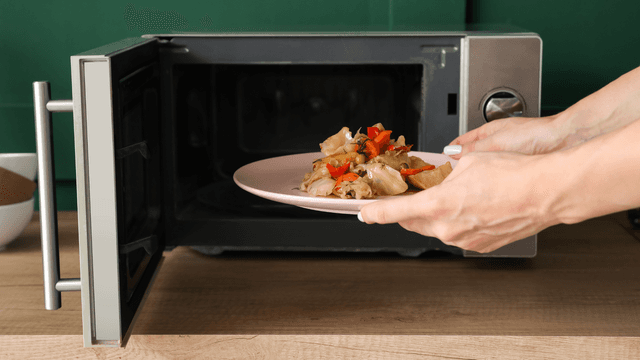
7 Probable Causes Of Your Microwave Not Heating
Find the most common reasons your microwave isn't heating, from defective magnetrons to door switch failures, and how to troubleshoot each issue.

Microwave Magnetron Testing
Find out how to test a microwave magnetron to diagnose heating problems and determine if this crucial part needs to be replaced.




Family-owned and operated since 1912, Burke America Parts Group is the longest-running genuine appliance, HVAC, and outdoor power equipment parts solution in North America. At Repair Clinic, we're proud to be an international brand trusted by the pros as well as the DIY community.
About Repair Clinic