


 Price Match Guarantee
Find the right part faster
Multiple models matched. Select your model to confirm fit.





Touchpad

Control panel and touchpad


Switch menbrane

Assy control panel

Assy control panel

Inlay-panel
Inlay-door
Inlay-button

Control panel and touchpad assembly
Control inlay

Control Inlay
Control-panel
Switch Membrane
Switch Membrane
Switch Membrane


Samsung Microwave Touchpad & Control Panel Parts
When your Samsung microwave's touchpad stops responding — or responds erratically — you're looking at a control panel failure. The touchpad is the interface between you and the microwave's brain; when it fails, the entire unit becomes unusable even if the heating mechanism works fine. Samsung touchpads are model-specific, so entering your exact model number ensures you get the right replacement panel assembly that will pair correctly with your control board.
Common touchpad failure signs include buttons that don't respond, phantom inputs (microwave starts on its own), or a completely dead panel with no display lights. Replacing the control panel is straightforward on most Samsung models — it typically involves removing the front cover and disconnecting a few ribbon cables. OEM Samsung panels come pre-assembled and ready to install.
- Unresponsive buttons: Touchpad registers nothing when pressed; display may still work
- Intermittent response: Some buttons work, others require multiple presses
- Phantom inputs: Microwave runs or beeps without user interaction
- Dead display with working magnetron: Microwave heats but no control response
- Water damage: Spill or steam infiltration causes electrical failure
Find your Samsung microwave model number on the rating label inside the door jamb or on the back wall, then search Repair Clinic's inventory for the exact touchpad assembly your model needs.
Find Replacement Samsung Microwave Touchpad Parts Online by Model or Part Number
Popular Samsung Microwave Models
Samsung Microwave Touchpad & Control Panel FAQ
Why did my Samsung microwave touchpad stop working?
Samsung microwave touchpads fail for several reasons: age (electrical degradation over 8 to 10 years), moisture exposure from steam or spills seeping past the front cover, or manufacturing defects in early model runs. The touchpad is a printed circuit board laminate that's glued to the front panel; once the conductive paths corrode or the membrane deteriorates, repair is not an option — replacement is a primary fix. If your display still lights up, the problem is isolated to the touchpad; if the entire control panel is dark, the control board itself may have failed.
How do I find my Samsung microwave model number?
Open the microwave door and look for a sticker or label on the inner left wall or door jamb. The model number starts with "MC" or "ME" (e.g., MC11J7035CT). You can also check the back of the unit or inside the hinge area. Entering this exact model number into Repair Clinic's search ensures you get the correct touchpad panel assembly — Samsung has dozens of control panel designs, and using the wrong one won't work.
Is the touchpad the same as the control board?
No. The touchpad (also called the control panel or front panel) is the physical interface you press; the control board is the circuit board inside the microwave that processes those inputs. If only specific buttons don't work, it's usually the touchpad. If the entire panel is dark and unresponsive, check the control board. Some replacement touchpads come as a single assembly; others require transferring the actual tactile buttons to the new circuit board. Always verify which type your model uses before ordering.
Can I just clean the touchpad instead of replacing it?
Not really. If the touchpad is unresponsive because it's dirty or water-damaged, a thorough dry-out might temporarily restore function, but once the conductive paths have degraded or the membrane has separated, cleaning won't fix it. If buttons respond intermittently after drying, the touchpad is in the early stages of failure — replacement is coming soon. OEM touchpad assembly replacement is the permanent fix, and parts are affordable compared to the cost of replacing the entire microwave.
Shop Samsung Microwave Touchpad Parts Online
Keep your Samsung Microwave operating smoothly with high-quality touchpad replacement parts from Repair Clinic. A malfunctioning touchpad can disrupt your cooking routine, but our genuine OEM parts ensure reliable performance and compatibility with your specific model. Utilize our model number lookup tool to easily find the exact touchpad you need. Enjoy same-day shipping, a No-Hassle 365-Day Returns policy, and our Price Match Guarantee for a convenient shopping experience. For additional guidance, visit our Microwave Repair Help page or browse other relevant Samsung Microwave Touchpad Parts for comprehensive support.
Samsung Microwave Model Number: Where to Look
Samsung prints the model number on a rating label inside the microwave door jamb or along the inner side wall. If it is not there, check the back or side cabinet, and look around the hinge area without removing any covers. Copy the complete model number, including letters, numbers, slashes, and suffixes, because small differences can indicate a different microwave configuration. Type it into our model number lookup and the catalog narrows to parts made for your unit. This filters the full Samsung microwave parts selection, not just touchpads or control panels, so you can review compatible parts across the entire appliance. Matching by model first cuts down on incorrect choices and helps you order with confidence knowing the fit is right.

Videos, Guides, and Diagrams for Samsung Microwave Repairs
Diagnose and fix your Samsung Microwave with Repair Clinic's online repair library. Video walkthroughs, step-by-step written guides, exploded-view diagrams, and part testing tutorials help you identify the failed part. Look up your model number to match the exact OEM replacement, then follow the installation video from start to finish.
Related Articles: Microwave Parts

Testing A Microwave Capacitor
Learn how to safely test a microwave capacitor using a multimeter to determine if it's faulty and causing your microwave to malfunction.
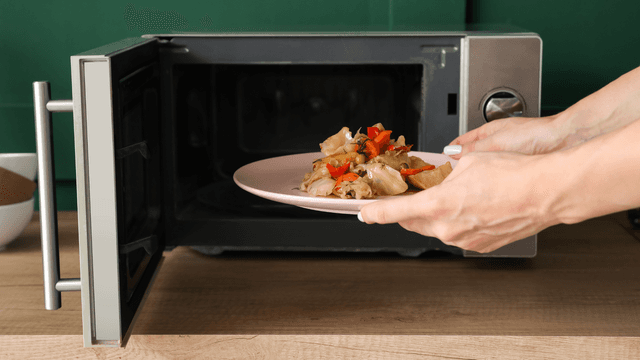
7 Probable Causes Of Your Microwave Not Heating
Find the most common reasons your microwave isn't heating, from defective magnetrons to door switch failures, and how to troubleshoot each issue.

Microwave Magnetron Testing
Find out how to test a microwave magnetron to diagnose heating problems and determine if this crucial part needs to be replaced.




Family-owned and operated since 1912, Burke America Parts Group is the longest-running genuine appliance, HVAC, and outdoor power equipment parts solution in North America. At Repair Clinic, we're proud to be an international brand trusted by the pros as well as the DIY community.
About Repair Clinic