


 Price Match Guarantee
Find the right part faster
Multiple models matched. Select your model to confirm fit.



Control board


Board fan sensor

Display board

Sub Power Control Board Assembly


Timer

Pcb ass'y
RC Item #946798

Line filter assy

Smart board

This is a Genuine Replacement Part. General Electric (GENF0) WB27X10604 Main Control Board.

Control board
Pcb parts assy

Power control board
Smart board
Smart board
Pcb assy


GE Microwave Control Board and Timer Parts
The control board (also called the circuit board or timer assembly) is the brain of your GE microwave. It manages power levels, cooking time, sensor functions, and the display. When your GE microwave won't respond to button presses, shows error codes, displays a blank screen, or runs the wrong cooking time, the control board is often the culprit. GE uses model-specific boards — a board from one series won't work in another.
Control board failures are one of the most expensive microwave repairs, but they're also one of the most common. Before replacing the board, verify that the touchpad itself isn't the issue by testing a few buttons. If multiple functions are dead or the display is blank, the board is your answer.
- Blank or dim display: board not sending power to display; check transformer and capacitor first
- Buttons don't respond: touchpad and board communication failure; test touchpad continuity
- Wrong cooking time or power level: memory loss or sensor malfunction in the board
- Error codes or beeping: board detecting a sensor or safety circuit fault
- Microwave runs constantly: board relay stuck or stuck button; safety hazard
Find Replacement GE Microwave Circuit Board & Timer Parts Online by Model or Part Number
Popular GE Microwave Models
Related GE Microwave Circuit Board & Timer Parts
- GE Microwave Main Control Board Parts
- GE Microwave Noise Filter Parts
- GE Microwave Control Board Parts
- GE Microwave Timer Parts
- GE Microwave Control Module Parts
- GE Microwave Display Board Parts
- GE Microwave Relay Board Parts
- GE Microwave Control Panel Parts
- GE Microwave Oven Control Board Parts
- GE Microwave Control Board Assembly Parts
- GE Microwave Inverter Board Parts
GE Microwave Control Board FAQs
How do I know if my GE microwave board has failed?
Start with the simplest test: press multiple buttons and listen for beeps. If nothing happens — no beeps, no display change, no response — the board is likely failed. If the display is completely dark or very dim, check the transformer and high-voltage capacitor first (those are cheaper fixes). If the board is responding but showing error codes or running incorrectly, it's a board problem. GE boards are model-specific, so enter your full model number into the lookup to get the exact replacement.
Can I replace a GE microwave control board myself?
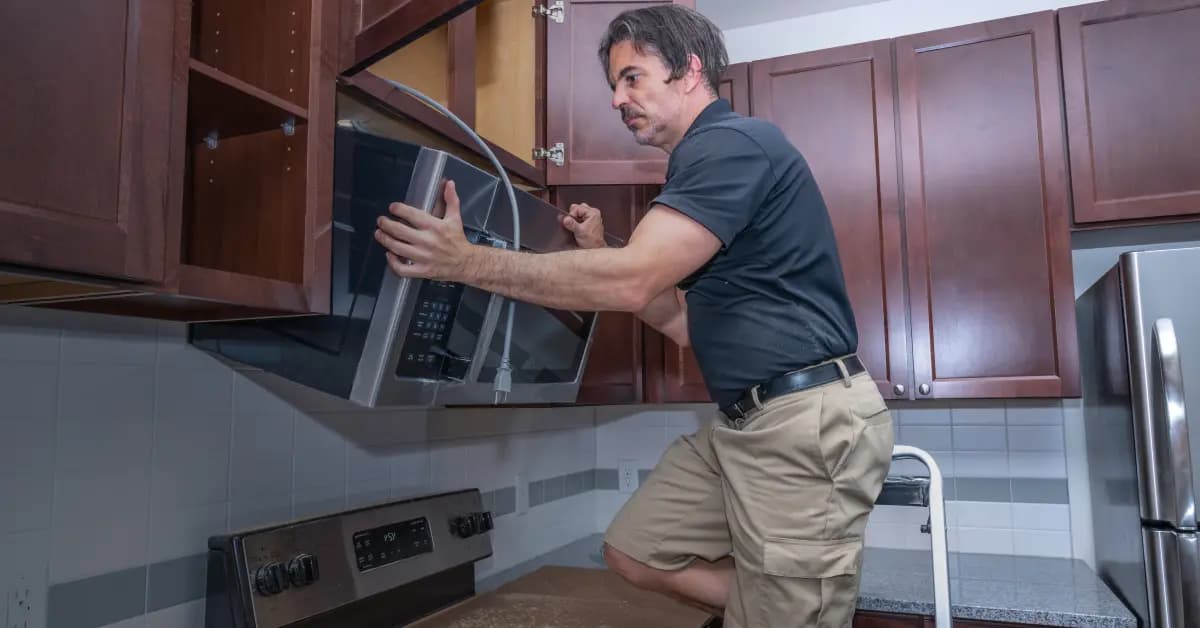
Yes — control boards are accessible behind the front panel or control console on most GE microwaves. You'll typically remove 2 to 4 screws, unplug the old board, and plug in the new one. No soldering required. The most important step is matching the exact model number — GE uses different boards for compact, over-the-range, and countertop models, and even within those categories, boards vary by capacity and features. Verify your model number twice before ordering.
Why are GE microwave boards so expensive?
Control boards are low-volume parts compared to, say, a door switch or magnetron. GE designs unique boards for each model line, so production costs are higher per unit. For budget microwaves, a new board might cost 40 to 60% of the microwave's original price — in those cases, replacement makes financial sense. For mid-range and factory-certified GE models, the board is worth replacing. Always confirm your model number with Repair Clinic's lookup tool before committing to the cost.
What's the difference between a control board and a touchpad?
The touchpad is the membrane with the buttons you press. The control board is the circuit board behind it that processes those button presses and sends commands to the magnetron, motor, and display. A failed touchpad will feel dead but the board still powers up. A failed board makes the entire microwave unresponsive. Both can fail independently, so test the touchpad for continuity with a multimeter before assuming the board is bad.
Order GE Microwave Circuit Board Timer Replacement Online
Keep your GE microwave running efficiently by replacing a faulty circuit board timer promptly. With same-day shipping on most in-stock items, you'll have your replacement part fast, minimizing downtime. Our model/part number lookup finds the exact OEM part for your unit, and every order is backed by our 365-day return policy and price-match guarantee. If your GE microwave circuit board timer is failing — showing symptoms like reduced performance, unusual noise, or complete non-operation — replacement is typically the fastest fix. Browse our full library of GE repair resources for troubleshooting guides and installation videos.
GE Microwave Model Number: Where to Look
GE prints the model number on a label inside the door frame of many microwaves; if it is not there, check the back or side cabinet. The label may list several numbers, so copy the complete model number, including letters and digits, exactly as shown. Search that number on our site and the results filter to parts built for your model. This lookup applies to the entire GE microwave, narrowing boards, timers, doors, switches, and every other associated part to the correct unit. It is the quickest way to be sure the part fits before you order.

Troubleshoot and Repair Your GE Microwave Online
Getting your GE Microwave back in working order is easier with the right online resources. Troubleshooting videos, repair help articles, part testing guides, and wiring diagrams give a clear path from symptom to solution. Once you know the failed part, look it up by model number and follow the installation video to complete the repair.
Related Articles: Microwave Parts

Testing A Microwave Capacitor
Learn how to safely test a microwave capacitor using a multimeter to determine if it's faulty and causing your microwave to malfunction.

Why Is My Microwave Sparking?
Find the most common reasons your microwave isn't heating, from defective magnetrons to door switch failures, and how to troubleshoot each issue.

Why Won't The Microwave Door Open?
Find out how to test a microwave magnetron to diagnose heating problems and determine if this crucial part needs to be replaced.




Family-owned and operated since 1912, Burke America Parts Group is the longest-running genuine appliance, HVAC, and outdoor power equipment parts solution in North America. At Repair Clinic, we're proud to be an international brand trusted by the pros as well as the DIY community.
About Repair Clinic