

Price Match Guarantee

In-stock parts ship the same day

365-Day Return Policy
Price Match GuaranteeGET PRO PRICING
Video & Articles: Appliance & Equipment RepairSkuttle Humidifier Float Assembly Replacement #A17-1731-013

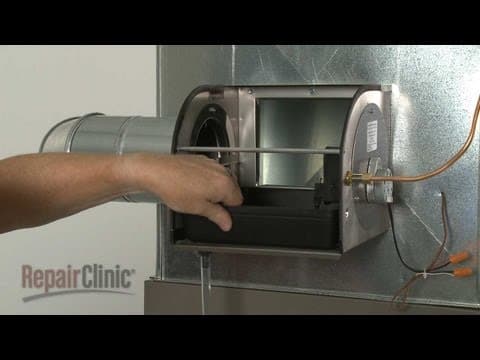


Skuttle Humidifier Float Assembly Replacement #A17-1731-013
Skill Level
Total Parts Cost
$39.27Estimated Savings
$112.5002:27
- Description
This video provides step-by-step instructions for replacing the float assembly on Skuttle humidifiers. The main reasons for replacing the float assembly are if water does not enter the reservoir but the problem is not low water pressure from the water source, or if the reservoir overflows.
All the information in this float assembly replacement video is applicable to the following brands: Skuttle
Tools used: adjustable wrench
All the information in this float assembly replacement video is applicable to the following brands: Skuttle
Tools used: adjustable wrench
Step By Step Instructions
1
To replace the float assembly in your humidifier first turn off the power to the furnace
2
Shut off the water to the humidifier.
3
Push the humidifier cover down to release the tabs then pull the cover off.
4
Next, pull the duct side of the drum shaft out of the bushing to remove the filter assembly.
5
Now disconnect the water supply line from the float assembly valve.
6
Be prepared for some water to spill.
7
Use a wrench to help remove the nut securing the float assembly to the humidifier housing.
8
Slide off the retaining ring and remove the old float assembly.
9
Prepare the new float assembly for installation by threading the new float onto the float lever.
10
Position the new assembly on the housing and slide on the retaining ring.
11
Thread and tighten the nut to secure.
12
Connect the water supply line to the float assembly valve – be careful not to over-tighten.
13
Reinstall the filter assembly by inserting the drive side of the shaft into the motor bushing then snap the opposite end of the shaft into the duct bushing.
14
Replace the cover by inserting the tabs into the slots in the housing then lower the cover and pull it into position.
15
You can now turn the water supply back on and restore power to the furnace to confirm that the humidifier is working properly.
Description
This video provides step-by-step instructions for replacing the float assembly on Skuttle humidifiers. The main reasons for replacing the float assembly are if water does not enter the reservoir but the problem is not low water pressure from the water source, or if the reservoir overflows.
All the information in this float assembly replacement video is applicable to the following brands: Skuttle
Tools used: adjustable wrench
All the information in this float assembly replacement video is applicable to the following brands: Skuttle
Tools used: adjustable wrench
Step-By-Step Instructions
1
To replace the float assembly in your humidifier first turn off the power to the furnace
2
Shut off the water to the humidifier.
3
Push the humidifier cover down to release the tabs then pull the cover off.
4
Next, pull the duct side of the drum shaft out of the bushing to remove the filter assembly.
5
Now disconnect the water supply line from the float assembly valve.
6
Be prepared for some water to spill.
7
Use a wrench to help remove the nut securing the float assembly to the humidifier housing.
8
Slide off the retaining ring and remove the old float assembly.
9
Prepare the new float assembly for installation by threading the new float onto the float lever.
10
Position the new assembly on the housing and slide on the retaining ring.
11
Thread and tighten the nut to secure.
12
Connect the water supply line to the float assembly valve – be careful not to over-tighten.
13
Reinstall the filter assembly by inserting the drive side of the shaft into the motor bushing then snap the opposite end of the shaft into the duct bushing.
14
Replace the cover by inserting the tabs into the slots in the housing then lower the cover and pull it into position.
15
You can now turn the water supply back on and restore power to the furnace to confirm that the humidifier is working properly.
Applicable Product Model
Related Articles & Videos




Our Story
Family-owned and operated since 1912, Burke America Parts Group is the longest-running genuine appliance, HVAC, and outdoor power equipment parts solution in North America. At Repair Clinic, we're proud to be an international brand trusted by the pros as well as the DIY community.
About Repair Clinic
© 2026 RepairClinic.com