

Price Match Guarantee

In-stock parts ship the same day

365-Day Return Policy
Price Match GuaranteeGET PRO PRICING
Video & Articles: Appliance & Equipment RepairKitchenaid Double Wall Oven Light Bulb Replacement #WPW10472384 


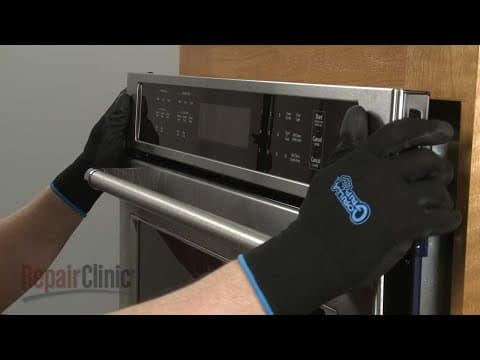
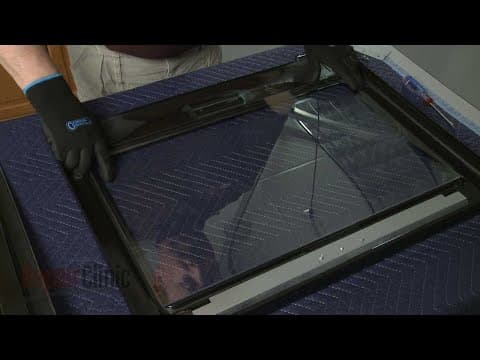
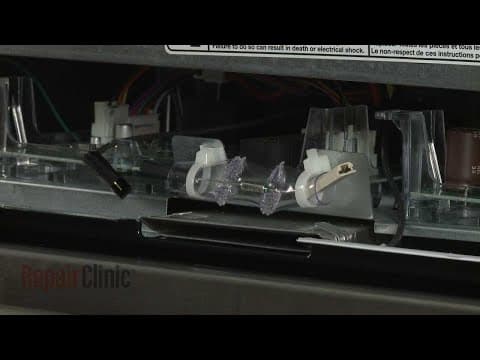

Kitchenaid Double Wall Oven Light Bulb Replacement #WPW10472384
Skill Level
Total Parts Cost
$71.94Estimated Savings
$112.5001:35
- Description
This video provides step-by-step repair instructions for replacing the light bulb on a Kitchenaid Double Wall Oven (model #KODE500ESS02). The most common reason for replacing the light bulb is if it is burned out.
All of the information for this bulb replacement video is applicable to the following brands:
Kitchenaid, Whirlpool
Tools used: Phillips-head screwdriver
All of the information for this bulb replacement video is applicable to the following brands:
Kitchenaid, Whirlpool
Tools used: Phillips-head screwdriver
Step By Step Instructions
1
KitchenAid Built-In Double Oven - KODE500ESS02
2
Double Wall Oven Light Bulb Replacement
3
Tools needed: plastic putty knife
4
Shock
5
Be sure to shut off the power to the oven junction box.
6
Open the appropriate oven door and remove any racks that are in the way.
7
Fragile
8
Use a plastic putty knife to help detach the light lens cover.
9
Remove the old bulb from the socket.
10
When installing the new light bulb, use a cloth or glove to grip the bulb as you insert the terminals into the socket.
11
With the notch in the lens cover aligned with the socket, snap the cover into place.
12
Replace any oven racks.
13
With the repair completed, turn the power supply back on and the double wall oven should be ready for use.
Description
This video provides step-by-step repair instructions for replacing the light bulb on a Kitchenaid Double Wall Oven (model #KODE500ESS02). The most common reason for replacing the light bulb is if it is burned out.
All of the information for this bulb replacement video is applicable to the following brands:
Kitchenaid, Whirlpool
Tools used: Phillips-head screwdriver
All of the information for this bulb replacement video is applicable to the following brands:
Kitchenaid, Whirlpool
Tools used: Phillips-head screwdriver
Step-By-Step Instructions
1
KitchenAid Built-In Double Oven - KODE500ESS02
2
Double Wall Oven Light Bulb Replacement
3
Tools needed: plastic putty knife
4
Shock
5
Be sure to shut off the power to the oven junction box.
6
Open the appropriate oven door and remove any racks that are in the way.
7
Fragile
8
Use a plastic putty knife to help detach the light lens cover.
9
Remove the old bulb from the socket.
10
When installing the new light bulb, use a cloth or glove to grip the bulb as you insert the terminals into the socket.
11
With the notch in the lens cover aligned with the socket, snap the cover into place.
12
Replace any oven racks.
13
With the repair completed, turn the power supply back on and the double wall oven should be ready for use.
Applicable Product Model


Related Articles & Videos
03:31
Part Replacement
Kitchenaid Double Wall Oven Control Panel Assembly (Black) Replacement #W11087449
02:50
Part Replacement
Kitchenaid Double Wall Oven Inner Door Glass Replacement #W10827059
08:02
Part Replacement
Kitchenaid Double Wall Oven Cooling Fan Blower Replacement #W10861504




Our Story
Family-owned and operated since 1912, Burke America Parts Group is the longest-running genuine appliance, HVAC, and outdoor power equipment parts solution in North America. At Repair Clinic, we're proud to be an international brand trusted by the pros as well as the DIY community.
About Repair Clinic
© 2026 RepairClinic.com