

Price Match Guarantee

In-stock parts ship the same day

365-Day Return Policy
Price Match GuaranteeGET PRO PRICING
Video & Articles: Appliance & Equipment RepairGree PTAC Unit Wall Thermostat Installation #TP-N-631



Gree PTAC Unit Wall Thermostat Installation #TP-N-631
Skill Level
Total Parts Cost
$217.80Estimated Savings
$112.5004:12
- Description
This video provides step-by-step instructions for installing a wall thermostat for a Gree PTAC Unit (model #ETAC209HP230VACP)
All of the information in this thermostat replacement video is applicable to the following brands: Gree
All of the information in this thermostat replacement video is applicable to the following brands: Gree
Step By Step Instructions
1
Anncr: repairclinic makes fixing things easy…
2
…with millions of replacement parts available on our website…
3
…and the help you need to do the repair yourself.
4
Since we encourage you to perform this procedure safely, a warning icon will appear when you should use caution.
5
Before you install a wall thermostat to control a packaged terminal air conditioner…
6
…be sure to shut off the power supply to the ptac unit’s junction box.
7
The wall thermostat should be installed approximately four or five feet above the floor in an area with an average temperature and good air circulation.
8
Standard solid copper thermostat wiring should be used to connect the thermostat to the ptac unit.
9
Separate the back plate from the thermostat body…
10
…and secure the plate to the wall with the provided mounting screws.
11
Connect the transformer power wire, often colored red, to the “r” terminal.
12
To do this, loosen the terminal block screw…
13
…insert the wire…then tighten the screw.
14
Be careful not to over-tighten any of the terminal block screws.
15
If available, connect the transformer common wire to the “c” terminal.
16
Connect the remaining wires to the applicable terminals according to the installation guide diagram.
17
If a common wire is available, the thermostat will operate without batteries…
18
…otherwise, you should install two double “a” alkaline batteries in the body of the thermostat.
19
Align the thermostat body on the back plate and push until it locks into place.
20
The thermostat wiring should be routed beneath the ptac unit and up under the front panel on the power cord side.
21
The wiring should never be routed through the wall sleeve.
22
Remove the unit’s front panel by pulling the bottom of the panel out to release it from the tabs…then lift up.
23
Carefully remove the terminal block from the control box.
24
Connect all of the thermostat wires to the appropriate terminals on the block according to the installation guide diagram.
25
With the wires connected, reattach the terminal block to the control box.
26
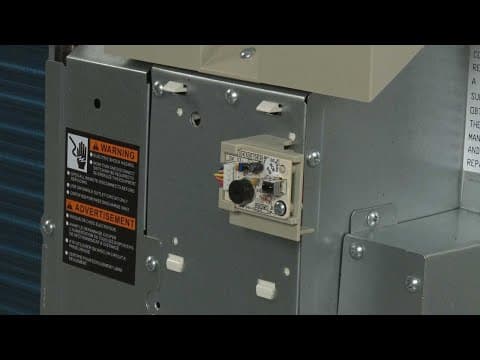
Locate the configuration dip switches above the terminal connections and set switch number two to the “up” position to allow for wall thermostat control.
27
Replace the front panel by aligning the tabs over the top rail then push the bottom of the panel in until it snaps into place.
28
Install the wall thermostat label over the touchpad control panel.
29
You can now turn the ptac unit power supply back on…
30
…and confirm that the wall thermostat is operational.
31
At repairclinic – we make fixing things easy.
32
Thank you for supporting the production of these videos by purchasing your parts from our website.
Description
This video provides step-by-step instructions for installing a wall thermostat for a Gree PTAC Unit (model #ETAC209HP230VACP)
All of the information in this thermostat replacement video is applicable to the following brands: Gree
All of the information in this thermostat replacement video is applicable to the following brands: Gree
Step-By-Step Instructions
1
Anncr: repairclinic makes fixing things easy…
2
…with millions of replacement parts available on our website…
3
…and the help you need to do the repair yourself.
4
Since we encourage you to perform this procedure safely, a warning icon will appear when you should use caution.
5
Before you install a wall thermostat to control a packaged terminal air conditioner…
6
…be sure to shut off the power supply to the ptac unit’s junction box.
7
The wall thermostat should be installed approximately four or five feet above the floor in an area with an average temperature and good air circulation.
8
Standard solid copper thermostat wiring should be used to connect the thermostat to the ptac unit.
9
Separate the back plate from the thermostat body…
10
…and secure the plate to the wall with the provided mounting screws.
11
Connect the transformer power wire, often colored red, to the “r” terminal.
12
To do this, loosen the terminal block screw…
13
…insert the wire…then tighten the screw.
14
Be careful not to over-tighten any of the terminal block screws.
15
If available, connect the transformer common wire to the “c” terminal.
16
Connect the remaining wires to the applicable terminals according to the installation guide diagram.
17
If a common wire is available, the thermostat will operate without batteries…
18
…otherwise, you should install two double “a” alkaline batteries in the body of the thermostat.
19
Align the thermostat body on the back plate and push until it locks into place.
20
The thermostat wiring should be routed beneath the ptac unit and up under the front panel on the power cord side.
21
The wiring should never be routed through the wall sleeve.
22
Remove the unit’s front panel by pulling the bottom of the panel out to release it from the tabs…then lift up.
23
Carefully remove the terminal block from the control box.
24
Connect all of the thermostat wires to the appropriate terminals on the block according to the installation guide diagram.
25
With the wires connected, reattach the terminal block to the control box.
26
Locate the configuration dip switches above the terminal connections and set switch number two to the “up” position to allow for wall thermostat control.
27
Replace the front panel by aligning the tabs over the top rail then push the bottom of the panel in until it snaps into place.
28
Install the wall thermostat label over the touchpad control panel.
29
You can now turn the ptac unit power supply back on…
30
…and confirm that the wall thermostat is operational.
31
At repairclinic – we make fixing things easy.
32
Thank you for supporting the production of these videos by purchasing your parts from our website.
Applicable Product Model
Parts Needed
Wall Thermostat
$217.80
Total$0.00
Related Articles & Videos
08:46
Part Replacement
Carrier/Gree ETAC Heat Pump Ambient Temperature Sensor Replacement 3900012123
10:01
Part Replacement
Carrier/Gree ETAC Heat Pump Outdoor Coil Temperature Sensor Replacement 390000372
06:39
Part Replacement
Carrier/Gree ETAC Heat Pump Indoor Blower Wheel Replacement 10351004
08:31
Part Replacement
Carrier/Gree ETAC Heat Pump Indoor Coil Temperature Sensor Replacement 390000596




Our Story
Family-owned and operated since 1912, Burke America Parts Group is the longest-running genuine appliance, HVAC, and outdoor power equipment parts solution in North America. At Repair Clinic, we're proud to be an international brand trusted by the pros as well as the DIY community.
About Repair Clinic
© 2026 RepairClinic.com