

Price Match Guarantee

In-stock parts ship the same day

365-Day Return Policy
Price Match GuaranteeGET PRO PRICING
Video & Articles: Appliance & Equipment RepairKitchenAid Refrigerator Pantry Cover Glass Replacement W11092486 


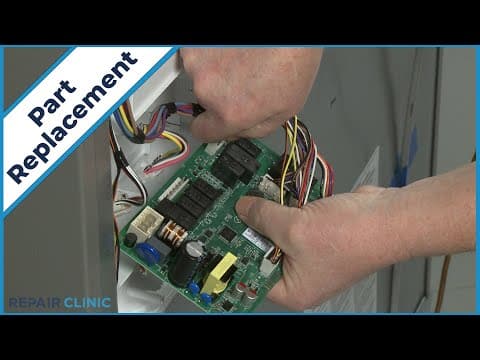
KitchenAid Refrigerator Pantry Cover Glass Replacement W11092486
Skill Level
Total Parts Cost
$168.63Estimated Savings
$112.5003:22
- Description
This video provides step-by-step repair instructions for replacing the pantry cover glass on a KitchenAid Refrigerator (Model KRFF507HPS02). The most common reason for replacing this part is if it is damaged or missing.
All of the information for this video is applicable to the following brands: KitchenAid
All of the information for this video is applicable to the following brands: KitchenAid
Step By Step Instructions
1
To replace the pantry cover glass in this kitchenaid refrigerator, first pull the platter shelf forward and lift the platter shelf glass up from underneath to remove.
2
Next, open both crisper drawers, reach in and push the crisper cover glass up and forward from underneath.
3
Close the drawers and remove the glass.
4
Now fully uninstall both crisper drawers by pulling them forward then hold the side support brackets as you push the drawers back to fully detach.
5
Next, lift up the entire platter shelf and crisper cover assembly and pull forward so the center crisper support block no longer rests on the glass.
6
You can now open the pantry drawer and lift up the old pantry cover glass from underneath and pull forward to remove.
7
To install the new pantry cover glass, carefully slide it into position until it is fully seated in the cover.
8
Fully reposition the platter shelf and crisper cover assembly.
9
To reinstall the crisper drawers, pull the slide rails out then insert the support bracket tabs into the slots in the side channels of the drawers and push the drawers in.
10
Reinsert the crisper cover glass in the space between the platter shelf and crisper cover and push back until the glass is fully seated in the cover.
11
Realign the platter shelf glass in the frame then push the shelf back in.
Description
This video provides step-by-step repair instructions for replacing the pantry cover glass on a KitchenAid Refrigerator (Model KRFF507HPS02). The most common reason for replacing this part is if it is damaged or missing.
All of the information for this video is applicable to the following brands: KitchenAid
All of the information for this video is applicable to the following brands: KitchenAid
Step-By-Step Instructions
1
To replace the pantry cover glass in this kitchenaid refrigerator, first pull the platter shelf forward and lift the platter shelf glass up from underneath to remove.
2
Next, open both crisper drawers, reach in and push the crisper cover glass up and forward from underneath.
3
Close the drawers and remove the glass.
4
Now fully uninstall both crisper drawers by pulling them forward then hold the side support brackets as you push the drawers back to fully detach.
5
Next, lift up the entire platter shelf and crisper cover assembly and pull forward so the center crisper support block no longer rests on the glass.
6
You can now open the pantry drawer and lift up the old pantry cover glass from underneath and pull forward to remove.
7
To install the new pantry cover glass, carefully slide it into position until it is fully seated in the cover.
8
Fully reposition the platter shelf and crisper cover assembly.
9
To reinstall the crisper drawers, pull the slide rails out then insert the support bracket tabs into the slots in the side channels of the drawers and push the drawers in.
10
Reinsert the crisper cover glass in the space between the platter shelf and crisper cover and push back until the glass is fully seated in the cover.
11
Realign the platter shelf glass in the frame then push the shelf back in.
Applicable Product Model
Parts Needed
Glass Shelf
$168.63
Total$0.00
Related Articles & Videos
02:47
Part Replacement
KitchenAid Refrigerator Lower Freezer Drawer Replacement W10594047
10:40
Part Replacement
KitchenAid Refrigerator Evaporator Fan Motor Replacement W11224591
04:12
Part Replacement
KitchenAid Refrigerator Upper Access Panel LED Light Assembly Replacement W11484839




Our Story
Family-owned and operated since 1912, Burke America Parts Group is the longest-running genuine appliance, HVAC, and outdoor power equipment parts solution in North America. At Repair Clinic, we're proud to be an international brand trusted by the pros as well as the DIY community.
About Repair Clinic
© 2026 RepairClinic.com