


 Price Match Guarantee
- Bearing
- Blower Wheel & Fan Blade
- Bracket & Flange
- Cap, Lid & Cover
- Capacitor
- Circuit Board & Timer
- Compressor & Sealed System
- Curtain & Accordian
- Door
- Duct & Venting
- Fastener
- Filter
- Gas Burner & Control Valve
- Gasket & Seal
- Grille & Kickplate
- Hose, Tube & Fitting
- Insulation
- Miscellaneous
- Motor
- Panel
- Power Cord
- Remote Control
- Sensor & Thermistor
- Shelf & Shelf Support
- Spring
- Switch
- Thermostat
Find the right part faster
Multiple models matched. Select your model to confirm fit.





Condenser fan blade with slinger ring

Remote control, **Note: Uses AAA batteries NOT included.

Capacitor 400/400 35+6 mfd.

Drain Pipe

Curtain with frame

Thermostat



Capillary tube-22 inc
Capillary tube


Hampton Bay Ceiling Fan and Lighting Parts
Hampton Bay is Home Depot's house brand for ceiling fans, lighting fixtures, and bath fans. If your Hampton Bay fan is running slowly, won't start, or the lights won't turn on, the issue usually traces back to one of a handful of common parts. We stock OEM Hampton Bay motors, capacitors, light kits, and control parts to get your fan or fixture working again.
The most common Hampton Bay repair is a failed capacitor — the small cylindrical part that stores energy to start the motor. When the capacitor fails, the fan either won't start at all or runs at half speed. Capacitor replacement is a straightforward 15-minute fix and costs far less than buying a new fan.
- Capacitor failure: Fan runs slowly, won't start, or hums but doesn't turn
- Motor failure: Fan won't run even with power; no humming sound
- Light kit problems: Lights flicker, won't turn on, or bulbs burn out repeatedly
- Remote receiver issues: Fan won't respond to remote control
- Blade and bracket damage: Visible cracks, wobbling blades, or bent brackets
Find your Hampton Bay model number on the ceiling fan body or the original packaging, then browse our parts catalog. Most ceiling fan repairs pay for themselves within one service call — enter your Hampton Bay model number here to see compatible parts.
Popular Hampton Bay Models
Related Hampton Bay Parts
- Hampton Bay Miscellaneous Parts
- Hampton Bay Compressor & Sealed System Parts
- Hampton Bay Capacitor Parts
- Hampton Bay Fastener Parts
- Hampton Bay Grille & Kickplate Parts
- Hampton Bay Motor Parts
- Hampton Bay Bracket & Flange Parts
- Hampton Bay Duct & Venting Parts
- Hampton Bay Hose, Tube & Fitting Parts
- Hampton Bay Panel Parts
- Hampton Bay Curtain & Accordian Parts
- Hampton Bay Gas Burner & Control Valve Parts
- Hampton Bay Power Cord Parts
- Hampton Bay Bearing Parts
- Hampton Bay Blower Wheel & Fan Blade Parts
- Hampton Bay Cap, Lid & Cover Parts
- Hampton Bay Insulation Parts
- Hampton Bay Thermostat Parts
- Hampton Bay Circuit Board & Timer Parts
- Hampton Bay Door Parts
- Hampton Bay Filter Parts
- Hampton Bay Gasket & Seal Parts
- Hampton Bay Remote Control Parts
- Hampton Bay Sensor & Thermistor Parts
- Hampton Bay Shelf & Shelf Support Parts
- Hampton Bay Spring Parts
- Hampton Bay Switch Parts
Hampton Bay Ceiling Fan & Lighting Parts — FAQ
What's the most common Hampton Bay ceiling fan repair?
The run capacitor is by far the most frequently replaced Hampton Bay part. These cylindrical parts store electrical charge to kick-start the motor. When a capacitor fails, the fan either won't spin at all or runs at reduced speed. Replacement capacitors are inexpensive ($15 to $40) and solving the problem takes under 15 minutes. Always match the microfarad (µF) rating on the old capacitor — common ratings are 3µF, 5µF, and 8µF for ceiling fans.
How do I find my Hampton Bay model number?
The model number is printed on a label attached directly to the fan motor housing (the center canopy unit at the ceiling). It may also appear on the original packaging or in your purchase receipt from Home Depot. The label usually reads "Model:" followed by a number like "51000" or "52000-02." Once you have the model number, use our search tool to pull up all compatible parts and ensure exact fit before ordering.
Can I replace a Hampton Bay ceiling fan motor myself?
Yes, motor replacement is a straightforward DIY job for most homeowners. First, turn off power at the breaker. Remove the light kit and blade brackets, then unbolt the old motor from the ceiling bracket. Disconnect the wire connectors (usually labeled with colored tape — match colors when reconnecting). Install the new OEM motor in reverse order. The entire job typically takes 30 to 45 minutes. If you're uncomfortable working at height or with electrical connections, hire a licensed electrician.
Why does my Hampton Bay light kit keep burning out bulbs?
Repeated bulb burnout usually signals a failing light module or ballast (on fluorescent versions). Incandescent and LED bulbs can also burn out prematurely if the socket is corroded or the voltage is running too high. Start by cleaning the socket with a dry cloth, then try a fresh bulb. If burnout continues, the light kit assembly or control board has likely failed and should be replaced as a unit. OEM Hampton Bay light kits are model-specific — confirm your model number for the correct replacement.

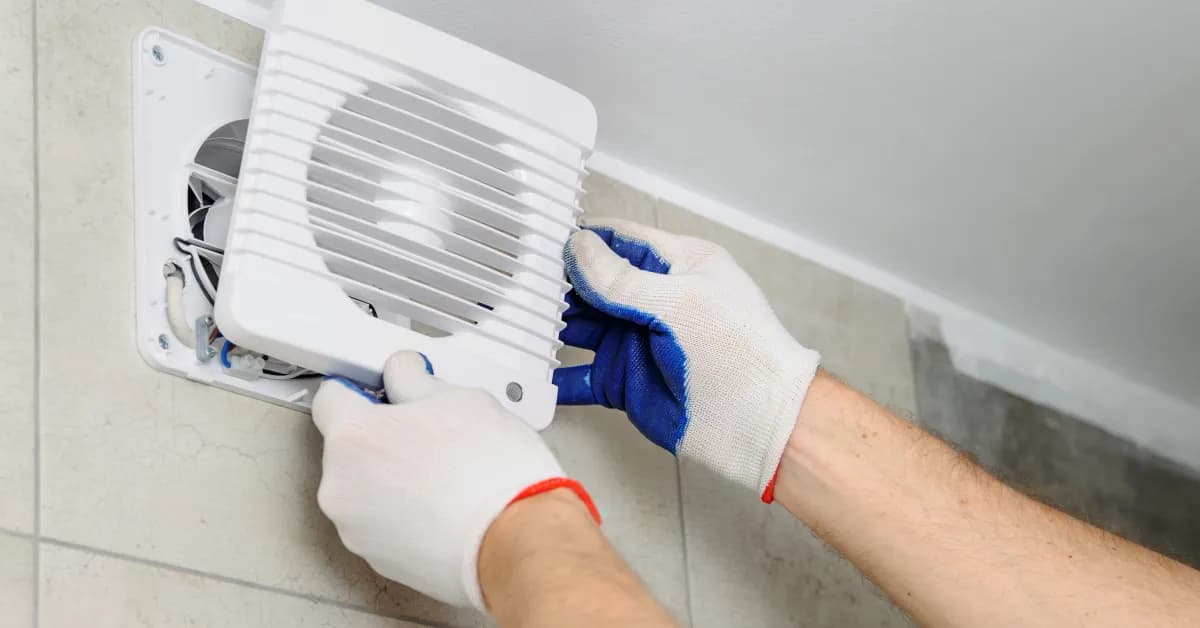
Order Hampton Bay Brand-Level Parts Online
Ordering Hampton Bay brand-level parts online is simple and helps you find genuine OEM parts for your unit. With same-day shipping on most in-stock items, you'll have your replacement part fast, minimizing downtime. Our model/part number lookup finds the exact OEM part for your unit, and every order is backed by our 365-day return policy and price-match guarantee. Browse our repair help section for troubleshooting tips, part testing guides, and step-by-step installation videos for your specific product.
Hampton Bay Ceiling Fan Model Number: Where to Look
On Hampton Bay ceiling fans, look for the model number on a label attached to the motor housing, the center unit mounted near the ceiling. You may also find it on the original box, product paperwork, or your Home Depot receipt. Check the label carefully for "Model" followed by a mix of letters and numbers, and copy every character, including hyphens. Type it into our model number lookup and the catalog narrows to parts made for your entire unit, including motor, capacitor, light kit, remote, and control parts. Using the full model number gives you a faster, more accurate match and helps prevent ordering a part that does not fit.

Repair Resources for Hampton Bay Owners
Repair Clinic backs Hampton Bay owners with a full online repair library. Troubleshooting videos, common-symptom articles, part testing walkthroughs, exploded-view diagrams, and step-by-step installation guides cover the diagnostic and repair work for the most common problems. Confirm your part with the model number lookup, follow the video, and complete the repair the first time.
Related Articles

Seven Mistakes That Drive Home Energy Bills Through the Roof
What causes a washing machine to stop working? Learn common issues like power failures, faulty lid switches, broken drive belts, and more with troubleshooting tips from Repair Clinic.

Nine Things to Do Before Turning on Your Central Air for the Season
Wondering why your washing machine won't start? Learn common causes like power issues, faulty lid switches, broken timers, and more with expert troubleshooting from Repair Clinic.
19 Simple Ways to Reduce Energy Consumption and Save Money This Summer
Is your washing machine not spinning or draining? Learn about common issues like clogged drain pumps, faulty lid switches, and worn drive belts, plus expert repair tips from Repair Clinic.




Family-owned and operated since 1912, Burke America Parts Group is the longest-running genuine appliance, HVAC, and outdoor power equipment parts solution in North America. At Repair Clinic, we're proud to be an international brand trusted by the pros as well as the DIY community.
About Repair Clinic