

Price Match Guarantee

In-stock parts ship the same day

365-Day Return Policy
Price Match GuaranteeGET PRO PRICING
Video & Articles: Appliance & Equipment RepairGE Microwave Cavity Lamp Replacement #WB25X10026


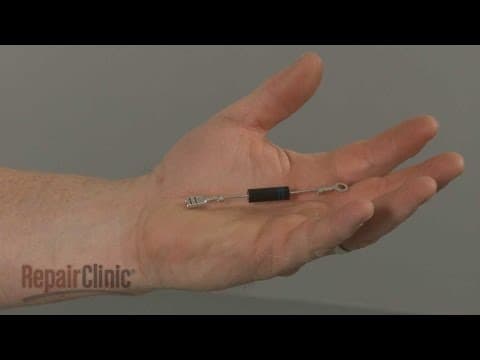

GE Microwave Cavity Lamp Replacement #WB25X10026
Skill Level
Total Parts Cost
$37.86Estimated Savings
$112.5002:31
- Description
This video provides step-by-step instructions for replacing the cavity lamp on GE microwaves. The most common reason for replacing the lamp is if it has burned out.
All of the information in this lamp replacement video is applicable to the following brands: GE
Tools used: Phillips head screwdriver
All of the information in this lamp replacement video is applicable to the following brands: GE
Tools used: Phillips head screwdriver
Step By Step Instructions
1
Before you replace the cavity lamp in your microwave oven unplug the power cord.
2
Use a phillips-head screwdriver to unthread the two mounting screws securing the grill.
3
With the screws unthreaded, open the oven door then slide the grill to the left and lift it up to remove.
4
Push the charcoal filter up then pull it out.
5
Remove the screw securing the lamp housing cover and lift off the cover.
6
Lift up the lamp bracket to detach it.
7
If still intact, pull the old lamp out of the socket.
8
When installing the new lamp avoid touching the glass with your fingers as you insert the lamp into the socket.
9
This may require some effort.
10
Reposition the bracket by inserting the tabs into the slots in the frame.
11
Replace the lamp housing cover and secure it with the screw.
12
Replace the charcoal filter by setting it on the rear mounting tabs with the front of the filter resting behind the front tab.
13
Insert the tabs on the grill into the slots in the frame and slide the grill to the right.
14
Rethread the mounting screws.
15
With the repair completed, plug the power cord back in and your microwave oven should be ready for use.
Description
This video provides step-by-step instructions for replacing the cavity lamp on GE microwaves. The most common reason for replacing the lamp is if it has burned out.
All of the information in this lamp replacement video is applicable to the following brands: GE
Tools used: Phillips head screwdriver
All of the information in this lamp replacement video is applicable to the following brands: GE
Tools used: Phillips head screwdriver
Step-By-Step Instructions
1
Before you replace the cavity lamp in your microwave oven unplug the power cord.
2
Use a phillips-head screwdriver to unthread the two mounting screws securing the grill.
3
With the screws unthreaded, open the oven door then slide the grill to the left and lift it up to remove.
4
Push the charcoal filter up then pull it out.
5
Remove the screw securing the lamp housing cover and lift off the cover.
6
Lift up the lamp bracket to detach it.
7
If still intact, pull the old lamp out of the socket.
8
When installing the new lamp avoid touching the glass with your fingers as you insert the lamp into the socket.
9
This may require some effort.
10
Reposition the bracket by inserting the tabs into the slots in the frame.
11
Replace the lamp housing cover and secure it with the screw.
12
Replace the charcoal filter by setting it on the rear mounting tabs with the front of the filter resting behind the front tab.
13
Insert the tabs on the grill into the slots in the frame and slide the grill to the right.
14
Rethread the mounting screws.
15
With the repair completed, plug the power cord back in and your microwave oven should be ready for use.
Applicable Product Model
Parts Needed
Light Bulb
$37.86
Total$0.00
Related Articles & Videos




Our Story
Family-owned and operated since 1912, Burke America Parts Group is the longest-running genuine appliance, HVAC, and outdoor power equipment parts solution in North America. At Repair Clinic, we're proud to be an international brand trusted by the pros as well as the DIY community.
About Repair Clinic
© 2026 RepairClinic.com