

Price Match Guarantee

In-stock parts ship the same day

365-Day Return Policy
Price Match GuaranteeGET PRO PRICING
Video & Articles: Appliance & Equipment RepairHonda Lawn Mower Control Cable Replacement #54530-VL0-C00


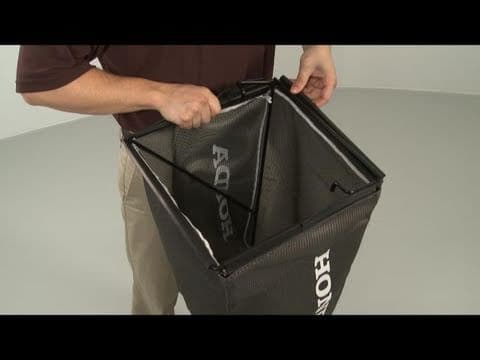
Honda Lawn Mower Control Cable Replacement #54530-VL0-C00
Skill Level
Total Parts Cost
$90.00Estimated Savings
$112.5003:01
- Description
This video provides step-by-step instructions for replacing the control cable (roto-stop cable) on Honda lawn mowers. The most common reason for replacing the cable is when the blades do not stop when the handlebar is released.
All of the information in this cable replacement video is applicable to the following brands: Honda
Tools used: socket wrench, screwdriver, scissors, snap ring pliers
All of the information in this cable replacement video is applicable to the following brands: Honda
Tools used: socket wrench, screwdriver, scissors, snap ring pliers
Step By Step Instructions
1
Before you begin the repair, make sure the mower’s engine has cooled remove the wire and boot from the spark plug and turn the fuel valve off.
2
Your next step is to use a socket and wrench to remove the bolt, nut and washer to release the roto-stop control assembly.
3
Flex the control arm to remove the assembly from the handle.
4
Now remove the screws to separate the control case.
5
Pull out the push knob and spring and detach the roto-stop cable from the case.
6
Snip any zip ties securing the cable.
7
Now carefully set the mower on its side.
8
Rotate the blade or blades out of the way.
9
Use pliers to help release the cable from the upper roto-stop assembly and pull the old cable free of the deck.
10
You’re now ready to install the new roto-stop cable.
11
Feed the cable through the deck.
12
Be aware you will need to route the cable through the zip tie retainer hidden underneath the debris shield.
13
Once the cable is properly routed, snap it into the retaining bracket and attach the end of the cable to the upper roto-stop assembly.
14
Carefully set the mower upright.
15
Insert the cable end into the roto-stop cable arm and secure it in the channel.
16
Reposition the push knob and align the spring.
17
Now join the two halves of the control case together. and secure the case with the screws.
18
Flex the control arm to align the assembly to the handle then use the socket and wrench to secure the bolt, nut and washer.
19
Use zip ties to secure the new roto-stop cable.
20
You can now turn the fuel valve back on and reattach the spark plug wire and boot.
Description
This video provides step-by-step instructions for replacing the control cable (roto-stop cable) on Honda lawn mowers. The most common reason for replacing the cable is when the blades do not stop when the handlebar is released.
All of the information in this cable replacement video is applicable to the following brands: Honda
Tools used: socket wrench, screwdriver, scissors, snap ring pliers
All of the information in this cable replacement video is applicable to the following brands: Honda
Tools used: socket wrench, screwdriver, scissors, snap ring pliers
Step-By-Step Instructions
1
Before you begin the repair, make sure the mower’s engine has cooled remove the wire and boot from the spark plug and turn the fuel valve off.
2
Your next step is to use a socket and wrench to remove the bolt, nut and washer to release the roto-stop control assembly.
3
Flex the control arm to remove the assembly from the handle.
4
Now remove the screws to separate the control case.
5
Pull out the push knob and spring and detach the roto-stop cable from the case.
6
Snip any zip ties securing the cable.
7
Now carefully set the mower on its side.
8
Rotate the blade or blades out of the way.
9
Use pliers to help release the cable from the upper roto-stop assembly and pull the old cable free of the deck.
10
You’re now ready to install the new roto-stop cable.
11
Feed the cable through the deck.
12
Be aware you will need to route the cable through the zip tie retainer hidden underneath the debris shield.
13
Once the cable is properly routed, snap it into the retaining bracket and attach the end of the cable to the upper roto-stop assembly.
14
Carefully set the mower upright.
15
Insert the cable end into the roto-stop cable arm and secure it in the channel.
16
Reposition the push knob and align the spring.
17
Now join the two halves of the control case together. and secure the case with the screws.
18
Flex the control arm to align the assembly to the handle then use the socket and wrench to secure the bolt, nut and washer.
19
Use zip ties to secure the new roto-stop cable.
20
You can now turn the fuel valve back on and reattach the spark plug wire and boot.
Applicable Product Model
Parts Needed
Control Cable
$90.00


Total$0.00
Related Articles & Videos




Our Story
Family-owned and operated since 1912, Burke America Parts Group is the longest-running genuine appliance, HVAC, and outdoor power equipment parts solution in North America. At Repair Clinic, we're proud to be an international brand trusted by the pros as well as the DIY community.
About Repair Clinic
© 2026 RepairClinic.com