

Price Match Guarantee

In-stock parts ship the same day

365-Day Return Policy
Price Match GuaranteeGET PRO PRICING
Video & Articles: Appliance & Equipment RepairLG Refrigerator Condenser Fan Motor Rear Support Replacement #5040JA2004A


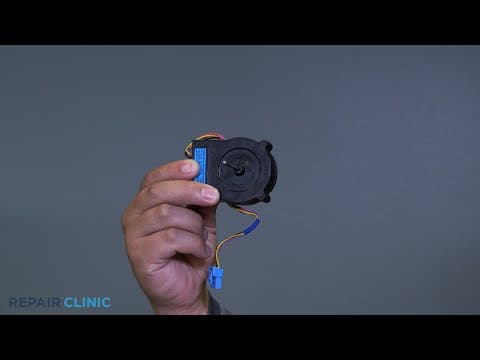

LG Refrigerator Condenser Fan Motor Rear Support Replacement #5040JA2004A
Skill Level
Total Parts Cost
$8.56Estimated Savings
$112.5007:03
- Description
This video provides step-by-step repair instructions for replacing the condenser fan motor rear support in an LG Refrigerator (Model LFCS22520S). The most common reason for replacing this part is if it is damaged or missing.
All of the information for this video is applicable to the following brands:
LG
All of the information for this video is applicable to the following brands:
LG
Step By Step Instructions
1
To replace the condenser fan motor rear support in this LG refrigerator, you will need a half inch wrench, a flat head screwdriver, and a Phillips screwdriver or drill driver with a number two Phillips bit.
2
Be sure to unplug the appliance before working with any electrical components.
3
Shut the water off to the appliance.
4
Give yourself access to the back side of the fridge.
5
Use the wrench to loosen and remove the main water line.
6
Unscrew the five Phillips head screws on the bottom panel and remove it.
7
Now remove the screw securing the fan shroud assembly.
8
Unplug the fan motor.
9
Use the flat head screwdriver to compress the tabs that secure the fan shroud assembly, then work the assembly out of the cavity, being mindful of other internal components.
10
Unhook the wire harness and unscrew the two screws on the motor cover and remove the cover.
11
Remove the rear motor support.
12
To install the new motor support, place the support onto the motor.
13
Set the cover, then thread and tighten the two screws.
14
Hook the motor wires over the cover.
15
Carefully insert the assembly into the fridge and set it in the tabs.
16
Plug in the harness.
17
Thread and tighten the Phillips screw to secure the assembly.
18
Place the bottom panel and secure with the five screws.
19
Fasten the main water line to the inlet valve.
20
Turn the water back onto the appliance.
21
Plug in the appliance, and the LG refrigerator should be ready for use.
Description
This video provides step-by-step repair instructions for replacing the condenser fan motor rear support in an LG Refrigerator (Model LFCS22520S). The most common reason for replacing this part is if it is damaged or missing.
All of the information for this video is applicable to the following brands:
LG
All of the information for this video is applicable to the following brands:
LG
Step-By-Step Instructions
1
To replace the condenser fan motor rear support in this LG refrigerator, you will need a half inch wrench, a flat head screwdriver, and a Phillips screwdriver or drill driver with a number two Phillips bit.
2
Be sure to unplug the appliance before working with any electrical components.
3
Shut the water off to the appliance.
4
Give yourself access to the back side of the fridge.
5
Use the wrench to loosen and remove the main water line.
6
Unscrew the five Phillips head screws on the bottom panel and remove it.
7
Now remove the screw securing the fan shroud assembly.
8
Unplug the fan motor.
9
Use the flat head screwdriver to compress the tabs that secure the fan shroud assembly, then work the assembly out of the cavity, being mindful of other internal components.
10
Unhook the wire harness and unscrew the two screws on the motor cover and remove the cover.
11
Remove the rear motor support.
12
To install the new motor support, place the support onto the motor.
13
Set the cover, then thread and tighten the two screws.
14
Hook the motor wires over the cover.
15
Carefully insert the assembly into the fridge and set it in the tabs.
16
Plug in the harness.
17
Thread and tighten the Phillips screw to secure the assembly.
18
Place the bottom panel and secure with the five screws.
19
Fasten the main water line to the inlet valve.
20
Turn the water back onto the appliance.
21
Plug in the appliance, and the LG refrigerator should be ready for use.
Applicable Product Model
Parts Needed
Motor Support
$8.56
Total$0.00
Related Articles & Videos
08:15
Part Replacement
LG Refrigerator Rear Freezer Evaporator Motor Support #5040JA2004A




Our Story
Family-owned and operated since 1912, Burke America Parts Group is the longest-running genuine appliance, HVAC, and outdoor power equipment parts solution in North America. At Repair Clinic, we're proud to be an international brand trusted by the pros as well as the DIY community.
About Repair Clinic
© 2026 RepairClinic.com