

Price Match Guarantee

In-stock parts ship the same day

365-Day Return Policy
Price Match GuaranteeGET PRO PRICING
Video & Articles: Appliance & Equipment RepairYork Central Air Conditioner Won't Run? #S1-02423998700


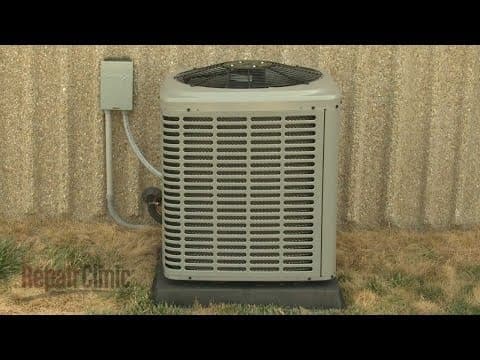
York Central Air Conditioner Won't Run? #S1-02423998700
Skill Level
Total Parts Cost
$28.99Estimated Savings
$112.5002:17
- Description
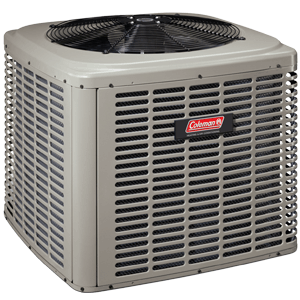
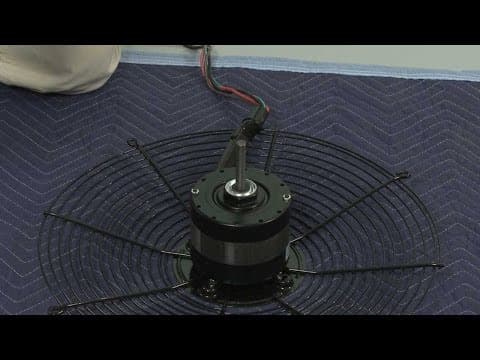
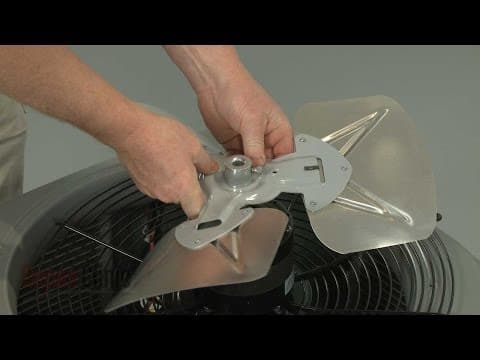
This video provides step-by-step repair instructions for replacing the run capacitor on a York A/C condensing unit. The most common reasons for replacing the run capacitor are when the air conditioner isn’t cold enough or isn’t cooling at all, the condenser fan motor won't run, or the condensing unit does not run.
All of the information for this run capacitor replacement video is applicable to the following brands:
York, Coleman, Luxaire
Tools used: multi screwdriver, 5/16 inch socket
All of the information for this run capacitor replacement video is applicable to the following brands:
York, Coleman, Luxaire
Tools used: multi screwdriver, 5/16 inch socket
Step By Step Instructions
1
To replace the run capacitor in your central air condensing unit first shut off the power to the unit.
2
You can do this by removing the fuses from the disconnect box or switching off the circuit breaker.
3
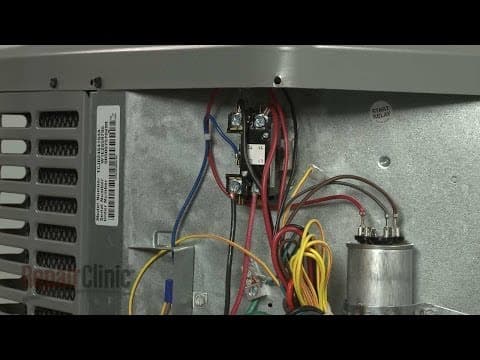
Now use a 5/16th inch socket to unthread the screws securing the access cover and remove the cover.
4
Place a screwdriver across the terminals to confirm that the old capacitor is fully discharged.
5
Now note the designated terminals the capacitor wires are attached to and disconnect the wires.
6
Remove the screw securing the retaining strap and pull the old capacitor free.
7
Install the new run capacitor by aligning the top edge with the notch on the panel then secure the retaining strap with the screw.
8
Connect the wires to the appropriate terminals on the new capacitor.
9
Realign the access cover and replace the screws to secure.
10
With the repair completed, restore power to the condensing unit and your central air system should be ready for use.
Description
This video provides step-by-step repair instructions for replacing the run capacitor on a York A/C condensing unit. The most common reasons for replacing the run capacitor are when the air conditioner isn’t cold enough or isn’t cooling at all, the condenser fan motor won't run, or the condensing unit does not run.
All of the information for this run capacitor replacement video is applicable to the following brands:
York, Coleman, Luxaire
Tools used: multi screwdriver, 5/16 inch socket
All of the information for this run capacitor replacement video is applicable to the following brands:
York, Coleman, Luxaire
Tools used: multi screwdriver, 5/16 inch socket
Step-By-Step Instructions
1
To replace the run capacitor in your central air condensing unit first shut off the power to the unit.
2
You can do this by removing the fuses from the disconnect box or switching off the circuit breaker.
3
Now use a 5/16th inch socket to unthread the screws securing the access cover and remove the cover.
4
Place a screwdriver across the terminals to confirm that the old capacitor is fully discharged.
5
Now note the designated terminals the capacitor wires are attached to and disconnect the wires.
6
Remove the screw securing the retaining strap and pull the old capacitor free.
7
Install the new run capacitor by aligning the top edge with the notch on the panel then secure the retaining strap with the screw.
8
Connect the wires to the appropriate terminals on the new capacitor.
9
Realign the access cover and replace the screws to secure.
10
With the repair completed, restore power to the condensing unit and your central air system should be ready for use.
Applicable Product Model
Parts Needed
Dual Run Capacitor
$28.99

Total$0.00
Related Articles & Videos




Our Story
Family-owned and operated since 1912, Burke America Parts Group is the longest-running genuine appliance, HVAC, and outdoor power equipment parts solution in North America. At Repair Clinic, we're proud to be an international brand trusted by the pros as well as the DIY community.
About Repair Clinic
© 2026 RepairClinic.com